Live AI Translation, Captions, & Summaries
Conference Translation Services
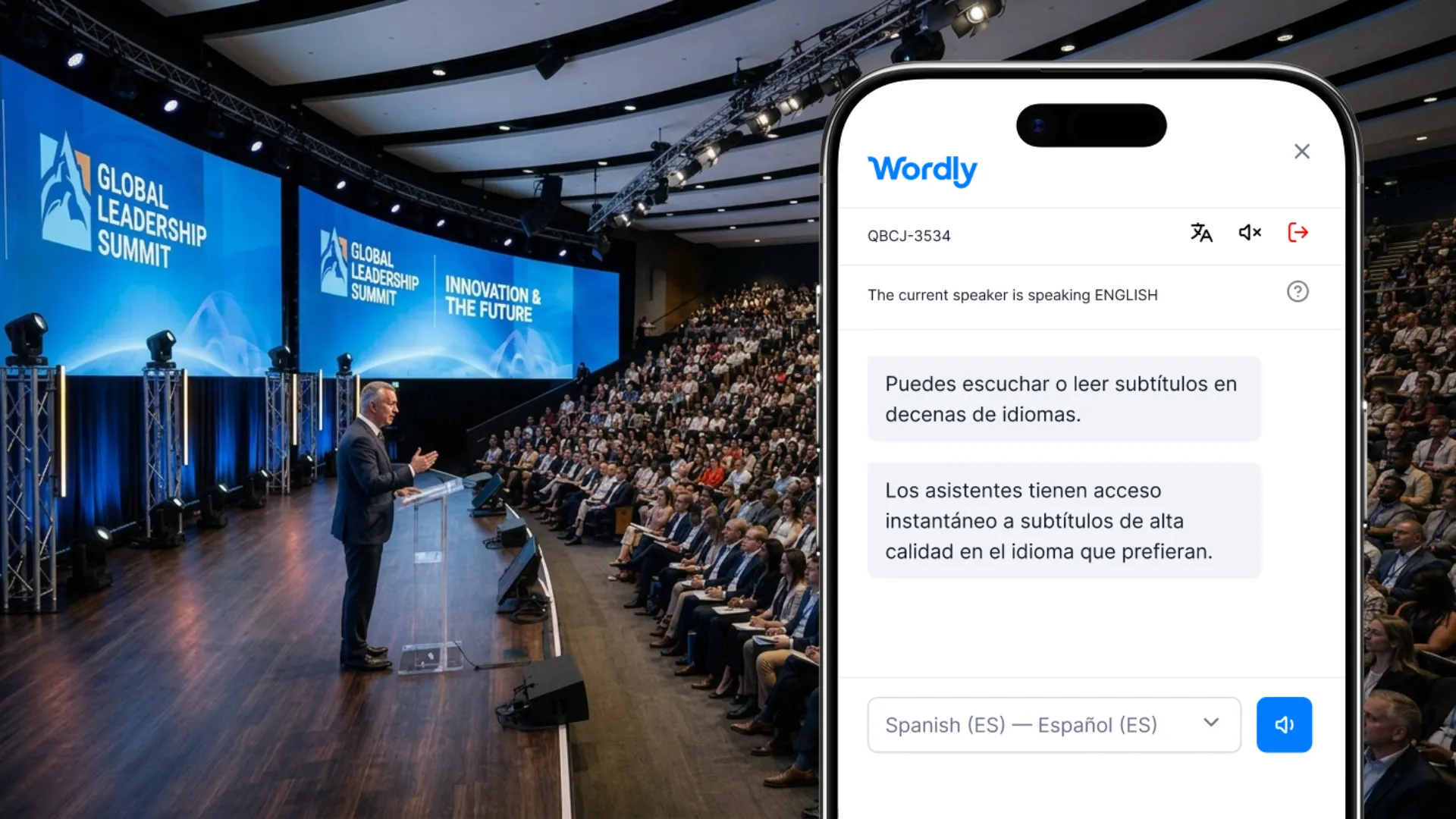
Make conferences and events more engaging, inclusive, and accessible with live translation and captions powered by AI. Wordly makes it easy and affordable to offer audio translation, captions & subtitles, transcripts, and summaries for all of your conferences and events.
.avif)
.avif)
Make Conferences More Inclusive, Accessible, and Engaging
Conferences provide an efficient way to communicate a wide range of content, including product announcements, educational seminars, inspirational keynotes, networking sessions, product demos, and much more. Many conferences offer both an in-person and virtual attendance option. In order to make conference management easier, event management platforms have been developed and offer a wide range of solutions, including ticket sales, attendee registration, gamification, networking, and other key components required for a successful event.
The one thing event management platforms do not solve is multilingual collaboration. Wordly solves this problem with AI-powered conference translation - providing a revolutionary solution that increases inclusivity and engagement by providing an affordable, on-demand, easy to use solution.
Now you can offer live conference translation for all of your events. Wordly works alongside all major event management platforms, including Zoom, Teams, and others.
Translation vs Interpretation
A common misconception in the world of language services is to refer to everything as translation. This can create some issues when it comes to understanding peoples’ roles and capabilities, especially when both translators and interpreters may be required for an event for different reasons.
The main distinction between translators and interpreters is in how they deal with language. Translators work with the written word, ultimately producing a text in the required language. An interpreter deals with communications that usually happen live, in-person.
Top Reasons to Offer Conference Translation
Global Reach - Conferences have a global reach. Wordly gives conferences global appeal. Allow employees, customers, and partners to participate in their preferred language to develop a deeper relationship with them. Make attending your conference more comfortable and enjoyable for all participants.
Attendee Engagement - Live translation adds another layer of excitement to a conference which delights and captivates online participants as it continuously renders transcripts before their eyes. This heightened engagement is crucial when it is so easy for participants to switch tabs and be distracted away from your conference content.
Translated Transcripts - Automated translation transcripts can also be offered after the event as another way to stay engaged with your audience.
Automated Glossaries - Wordly enables you to create a custom glossary to help ensure important names and terms are translated correctly at your conference.
How Wordly Solves Conference Translation Challenges
- Wordly solved the conference translation problem by developing the industry's first 100% AI simultaneous interpretation platform - providing a fast, easy, and affordable solution for today's global, multilingual, virtual world.
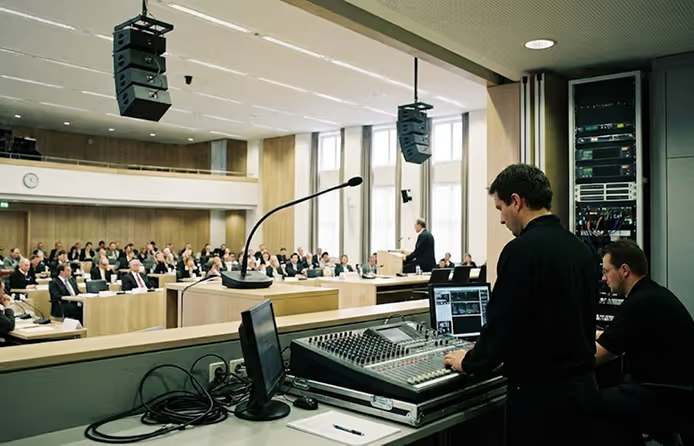
- Wordly is powered by AI and does not require human interpreters or special equipment. Traditional conference interpretation solutions require a multi-step process: The on-stage speaker gives a speech or presentation in their own language. This is known as the source language. Two interpreters work in a booth at the same time, taking turns. The interpreter listens to the speaker and communicates the meaning of the words in the required language. This is known as the target language.
Throughout the conference, the audience wears headsets. These headsets allow audience members to listen to the speech in their own language, as a result of the conference translator’s actions – the interpreters in the booth. While effective it is also very expensive and logistically complicated to plan and execute.
Scalable Translation for Every Format
Whether you're organizing a large in-person conference or hosting a hybrid event, Wordly delivers real-time translation that scales with your needs. Our AI platform supports live translation and captions across a variety of event types, not just conferences.
Explore how Wordly live translation capabilities can support all of your meetings and events.
How Wordly Conference Translation Works
- The conference host sets up a Wordly account - and purchases a package of translation hours - hours can be shared across your company and are usable for up to one year. A single real-time platform that addresses both conference formats; virtual and in-person.
- The conference host sets up a translation session in the portal and sends attendees the link to the Wordly session. There is no need for special hardware or sound booths to manage Wordly AI-powered translation.
- The Wordly session can run alongside the conference in a separate window or within the conference platform depending on their Wordly integration. Wordly complements all major meetings and events platforms. Explore how our Translation App delivers real-time audio, captions, and transcripts in dozens of languages.
- Conference presenters join the session and select the language they want to speak in from a drop down menu. All languages are interpreted in real-time and always available on demand at your fingertips.
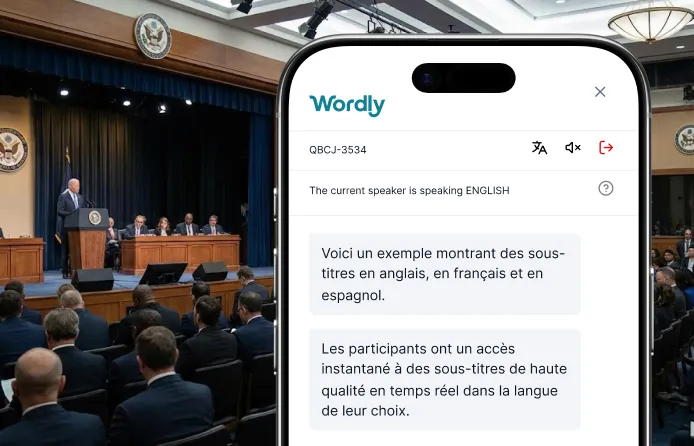
- Conference attendees join the session and select the language they want to participate in - they can listen to the live audio translation or read live translated captions - every attendee can select their preferred language from over dozens of options. Participants can access real-time translation and interpretation on their own personal devices in their preferred language.
Why Choose Wordly
Here are a few reasons Wordly is the best solution for conference translation:
- Flexible Integrations - Use Wordly with any video, streaming, or conference platform - including Cvent, Stova, Teams, and Zoom.
- Focused Team - We specialize in AI-powered interpretation solutions and have a team of technology and language services experts who are committed to providing the best solution possible.
- Personalized Support - Every new account is assigned a Customer Success Manager to ensure a smooth onboarding process.
For more reasons why Wordly is your #1 choice for conference translation, see Audio Translation.
Wordly also supports multilingual Meeting Interpretation. Increase attendance, engagement and language inclusivity by allowing all conference participants to select their preferred language. Increase conference accessibility and satisfaction for employees, prospects and customers.
Translation and Interpretation Options
There are three primary options for addressing the language barrier at meetings and events.
1. Do Nothing
The most common solution is to do nothing. While this is the cheapest and least time consuming option in the short term, there are significant long term costs when attendees are unable to understand meetings and do not attend or fully engage.
2. Use Human Translators
Human translators have been used for years and are a common option for meetings and events around the world. Human interpretation is a good option for large, complex events which are planned months in advance and supported by large budgets and teams to coordinate all of the logistics. But the time and cost of offering human interpretation often makes this option not viable for most organizations.
3. Use Live AI Translation and Captioning
A fast-growing option is AI translation. These tech solutions are powered by Artificial Intelligence (AI) and hosted in a secure cloud infrastructure, removing the need for human interpreters and special equipment. AI translation is being implemented across a wide range of government meetings.
How Wordly Works in 4 Easy Steps
Presenter
Presenter speaks in preferred language

AV System
Audio system connected to Wordly
Wordly
Real-time transcription & translation
Attendees
Attendees read or listen in preferred language

.png)
Example of in-person setup. Contact us to see the setup for a virtual event.
Step 1
The audio mixer from the meeting room is connected to a tablet or laptop which is used to log into the AI translation and captioning system. This helps ensure the AI system receives high quality sound input.
Step 2
The presenter(s) speak in their preferred languages during the meetings. The AI-powered translation system can manage participants speaking in multiple languages.
Step 3
Wordly uses AI to transcribe and translate the spoken content into the preferred languages for each participant. The platform translates speech simultaneously into dozens of languages and the output is available in real time. Wordly understands different dialects and accents, so you can feel confident the translation and captions will be very accurate.
Step 4
Attendees can read along with captions or listen with their ear buds in their preferred language on their own computer or mobile device. Attendees access the translation and captions by scanning a QR code with their phone or visiting a URL from their computer.
Attendees can be either in person or attend virtually via Zoom, Teams, or another meeting platform. The captions can also be displayed in multiple languages on monitors positioned around the room so presenters and attendees can see them.
Wordly Translation Packages
Wordly makes it easy to add live translation and captions to your meetings with a comprehensive solution that includes personalized support and training to get you up and running quickly.
Many organizations start with a Wordly Pro+ Package that includes 60 hours of live translation and captioning, which is enough to cover multiple meetings per month for one year. This can be used for staff meetings, employee training, customer events, and a wide range of other sessions. If you have more meetings per month, you can add additional hours to your package at any time. Since all Wordly languages are included for one fixed hourly price, you can easily manage your budget.
All Translation packages include:
Live AI Translation & Captioning
You get live translation of your meetings into both audio and text output - attendees can choose whether they want to listen and / or read.
Extensive Language Options
Each attendee can select their preferred language from dozens of options which come standard with every Wordly subscription. Since Wordly provides multi-directional translation, we can support thousands of language pairs (e.g., English to Spanish, Spanish to Vietnamese, French to Spanish, etc.). You can conduct meetings in English, Spanish, or dozens of other Wordly supported languages. See all language interpretation options.
Flexible Delivery Formats
You can offer Wordly both for in-person and virtual attendees via Zoom, Teams, or other video platforms. There is no additional charge for using multiple formats to support hybrid meetings.
Customizable Glossaries
You can create a customized glossary of names and other important terminology unique to your organization that you want to make sure are translated correctly.
Transcripts and Summaries
Access complete transcripts and short summaries after every session. Translate into dozens of languages to support reporting requirements.
No Special Equipment
Since Wordly is powered by AI, there is no special equipment required.
Personalized Onboarding
We will assign a Customer Success team member to guide you through the onboarding process. This includes account setup, admin training, integration assistance, translation glossary creation, dress rehearsal tests, presenter coaching, and technical support.
Easy Setup
Once you are onboarded, it will take less than 10 minutes to set up Wordly for your meetings.
Easy Access
Attendees can access Wordly in 2 easy steps. For in person events, they scan a QR code with their mobile phone, select their language, and then have instant access to live audio and caption output. For virtual events, they click a link on their computer, select their language, and then have instant access to live audio and text output.
Display Options
You can also choose to have the captions displayed on monitors at your location so people can follow along without using their phones.
Affordable Pricing
Pricing is based on the number of hours you purchase. and we offer volume discounts. You get audio and caption output for all Wordly languages, along with text transcripts, and summaries for one fixed price. Since Wordly is powered by AI, you do not need to hire individual interpreters for each language. You can save 50-90% versus the cost of using human translators.
Wordly Translation & Captions at a Glance
Wordly Translation Features
Wordly offers a range of features enabling you to deliver live translation for all of your events.
One key feature is:
No special hardware requirements
Wordly does not require a sound booth or special headsets. Attendees join with their personal mobile phone, tablet, or laptop.
See all Platform features.
Wordly Translation FAQs
Wordly provides a range of personalized assistance to get you up and running quickly.
One frequent question is:
Can Wordly provide onsite support?
Wordly offers remote and onsite support before and during events to get you up and running quickly.
See more frequent questions.
Wordly Customer Quotes
Customers love Wordly for our fast set up, ease of use, extensive features, and affordable pricing.
One happy customer said:
“Beyond the affordability of Wordly, I'd say the ease of use for participants and organizers alike is what I appreciated most.”
See more Customer quotes.
.avif)
.png)
.png)
%20(1)%201.webp)
Ready to learn more about Wordly?
.png)
Ready to learn more about Wordly?
Get a Personalized Demo
In a 30-minute video call, we will show you how Wordly can work for your use case, and answer questions.
.avif)
