Check out our product updates - What's New at Wordly
Live Subtitles in 60+ Languages
Live AI subtitles and captions that keep every attendee fully engaged, regardless of language, hearing ability, or learning style. It’s easy and affordable.
.avif)
.avif)
Today, subtitles and captions are a baseline expectation. Research shows that 80% of people who use captions are not deaf or hard of hearing. They use them because they work: to focus, follow along in a second language, or simply retain more.
AI subtitles make this possible at scale — across dozens of languages, in real-time, with no traditional interpretation required. Wordly delivers AI subtitles for live events, meetings, webinars, and any video content where your audience expects to be included.
AI subtitles are live text generated from spoken audio, powered by AI speech recognition and translation. They appear as a direct overlay on your presentation screen, on dedicated monitors, or on any personal device.
The difference between an AI Subtitle Generator and traditional captioning comes down to speed, scale, and cost. Traditional captioners work one language at a time. Wordly handles dozens simultaneously, with no lead time and no per-language pricing.
Wordly makes it easy and affordable to add AI subtitles and captions to any screen.
Wordly AI subtitles and captions support:

Subtitles are no longer a niche accommodation. They are the default expectation of a modern, diverse audience. And the data backs this up.
of caption users have no hearing loss. Subtitles serve the mainstream, not just the margins.
Source: Verizon Media & Publicis Media / Ofcom
people are neurodivergent. Subtitles reduce cognitive load and improve comprehension for ADHD, dyslexia, and auditory processing differences.
Source: Organizational Psychologist Nancy Doyle, 2020
people globally have hearing loss (WHO). That's a significant portion of any audience at any event.
Source: World Health Organization
English speakers globally are non-native. Even in an all-English event, most of your audience is working harder than you think to keep up.
Source: Ethnologue, 2025 via Rosetta Stone
The case for subtitles is more than supporting global compliance or accessibility standards. It’s about respect for your audience and the expectation gap that emerges when you don't offer them.
When attendees have to work harder to follow along, they disengage. Subtitles and captions remove that friction.
Following a presentation in your second language is exhausting. Subtitles translated in real time let non-native speakers catch every nuance. Stop making your attendees spend half their mental energy just keeping up with the words.
This is non-negotiable. Providing live AI subtitles and captions is a baseline requirement of inclusive event design. With Wordly, it takes minutes to set up — not weeks of coordination.
For people with ADHD, dyslexia, or auditory processing differences, hearing and retaining information simultaneously is genuinely difficult. Reading along with subtitles and captions engages a second channel of comprehension, making content stick in a way audio alone often can’t.
Poor room acoustics. Speakers with heavy accents. Conference background noise. A fast-talking presenter. AI subtitles and captions level the playing field for every attendee in the room, not just those with identified needs.
Live Subtitle Engine
Wordly converts spoken audio into synchronized subtitles as the speaker talks, delivered in readable chunks timed to natural speech. No lag, no post-processing.
The Wordly Display App
Built for room-scale subtitle display. Show captions on stage monitors, large screens, or as an iFrame overlay on your presentation. Configure fonts, colors, split-screen multi-language layouts, speaker names, and more. All from one interface.
The Wordly Subtitles App
The easiest way to overlay live captions and subtitles on your video streams and presentations for live events. Purpose-built for AV professionals to work with the tools they rely on every day.
Any Personal Device
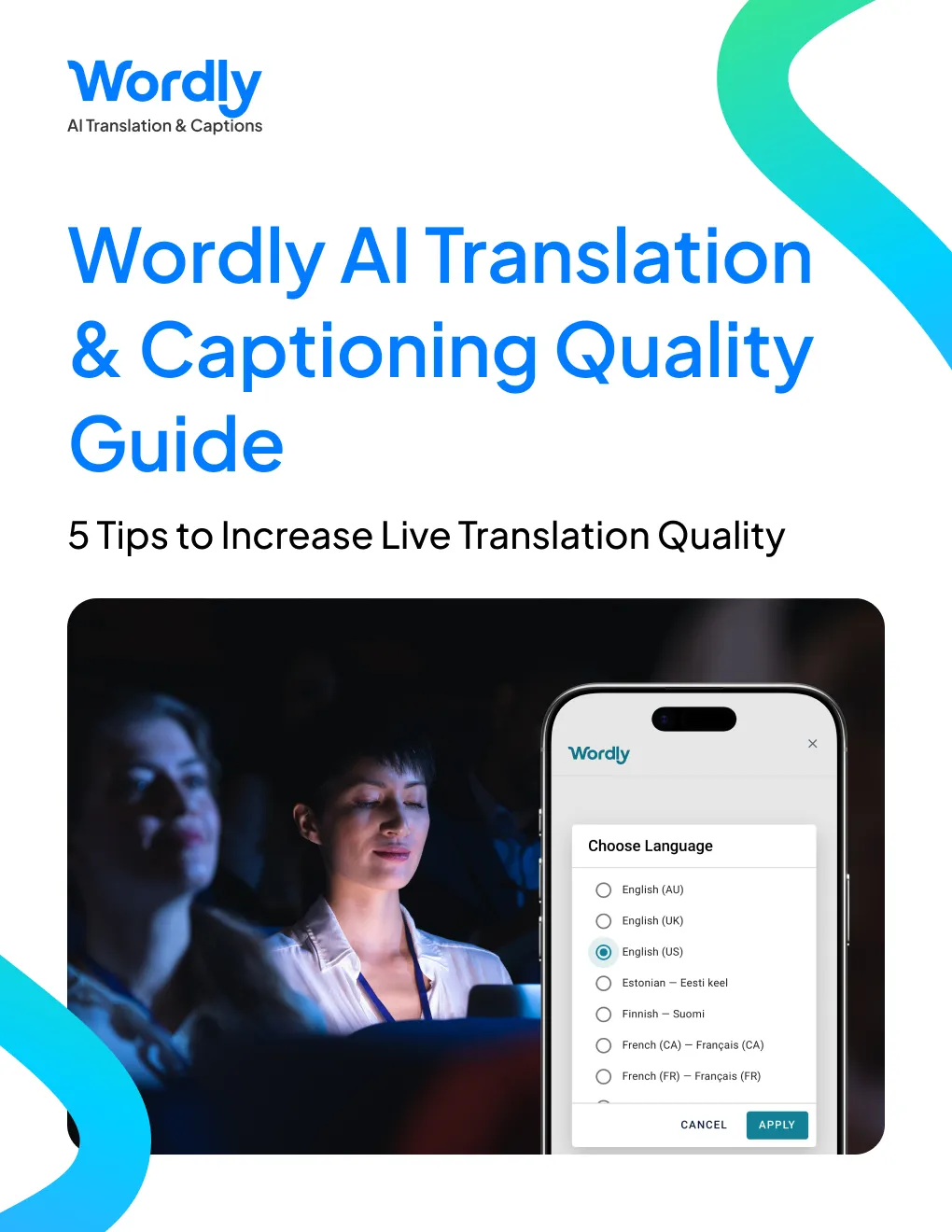
Attendees join via QR code or link. No download, no account. Subtitles open on any phone, tablet, or laptop, in the language they choose.
More Resources - For additional AI translation and captioning resources, visit All Resources.
Technically, captions are same-language text, while subtitles assume the viewer can hear but may not understand the language. In practice, the terms are used interchangeably. Wordly provides both: same-language captions for accessibility, and translated subtitles so attendees can follow along in their preferred language.
Subtitles can benefit a wide range of attendees. Those who are deaf or hard of hearing can follow along without relying on audio.
Attendees with ADHD, dyslexia, or auditory processing differences may find that reading along while listening helps with focus and retention.
Wordly also supports phrase-by-phrase display, which may further reduce processing demand. For specific accessibility compliance requirements, we recommend consulting with your legal team.
Wordly regularly tests and optimizes its AI models across accents, speaking speeds, and noisy live environments. You can also build a custom glossary with your organization's terminology, product names, and acronyms to further improve accuracy for your specific content.
For room-scale display, the Wordly Display App shows subtitles and captions on monitors, stage screens, or as a presentation overlay, with full control over layout, fonts, and multi-language split-screen.
The Wordly Subtitles App offers a streamlined setup for fast, clean overlays. After every session, Wordly also generates downloadable transcripts you can use for on-demand video captions, meeting minutes, or post-event content.
And as always, attendees can use any personal device to open subtitles via QR code or link, selecting and changing their language at any time.
No. AI subtitles are included standard with every Wordly plan. There is no separate module or upgrade required.
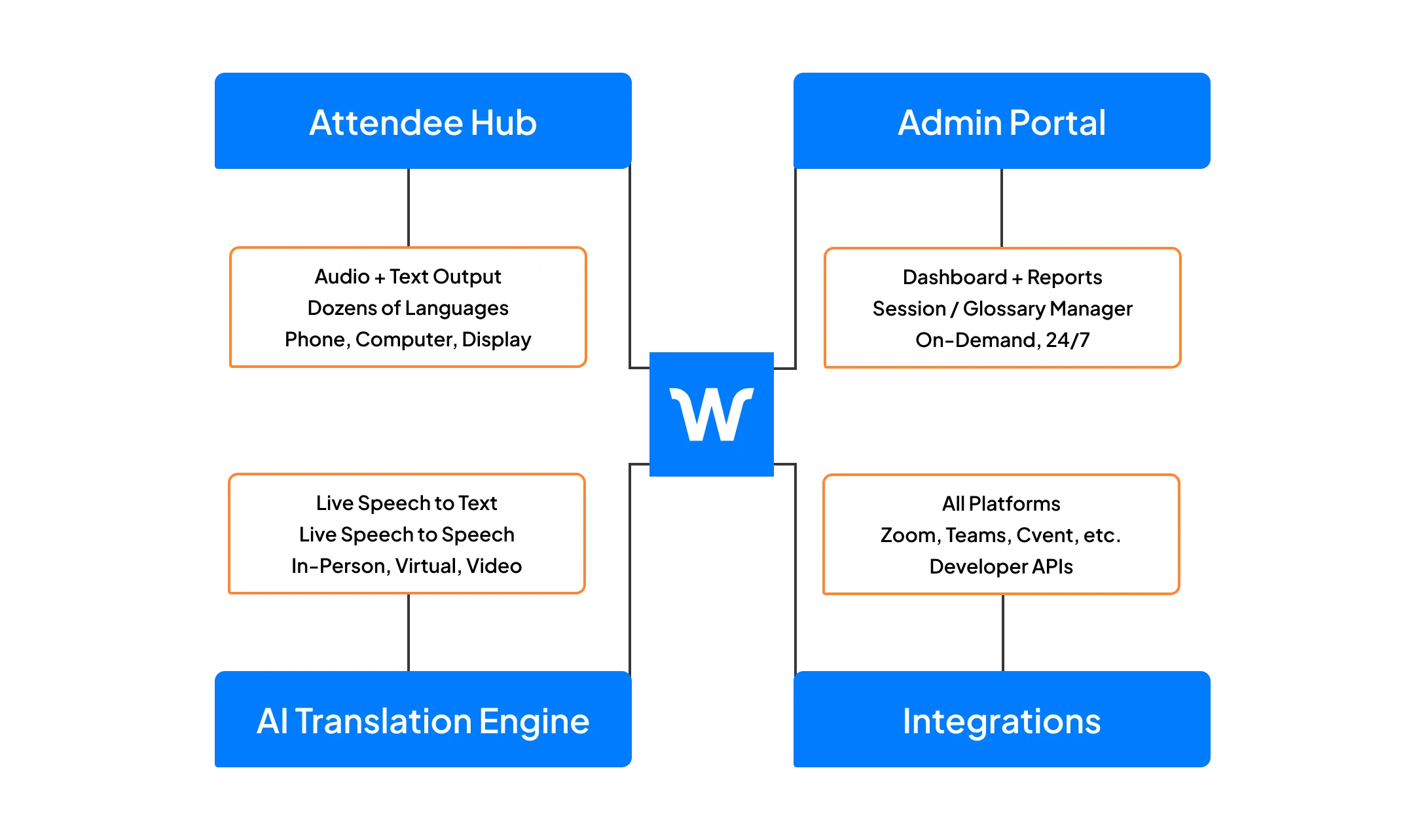
AI Subtitles is part of the Wordly Platform which includes live translation and captions, along with post-event text transcripts, voice transcripts, and summaries. Use the text transcript files to create captions and subtitles for videos - and the voice transcript files to dub videos. Use the summaries for post-event content sharing and marketing programs. The Wordly Platform provides a comprehensive all-in-one AI-powered solution to meet language access needs across your organization.
.png)
.png)
%20(1)%201.webp)
.png)
.avif)
