Turn translation & captions into revenue with Sponsor Logos → Learn More
Offer floor audio without equipment rental with Silent Theater → Learn More
Enterprise Translation Management
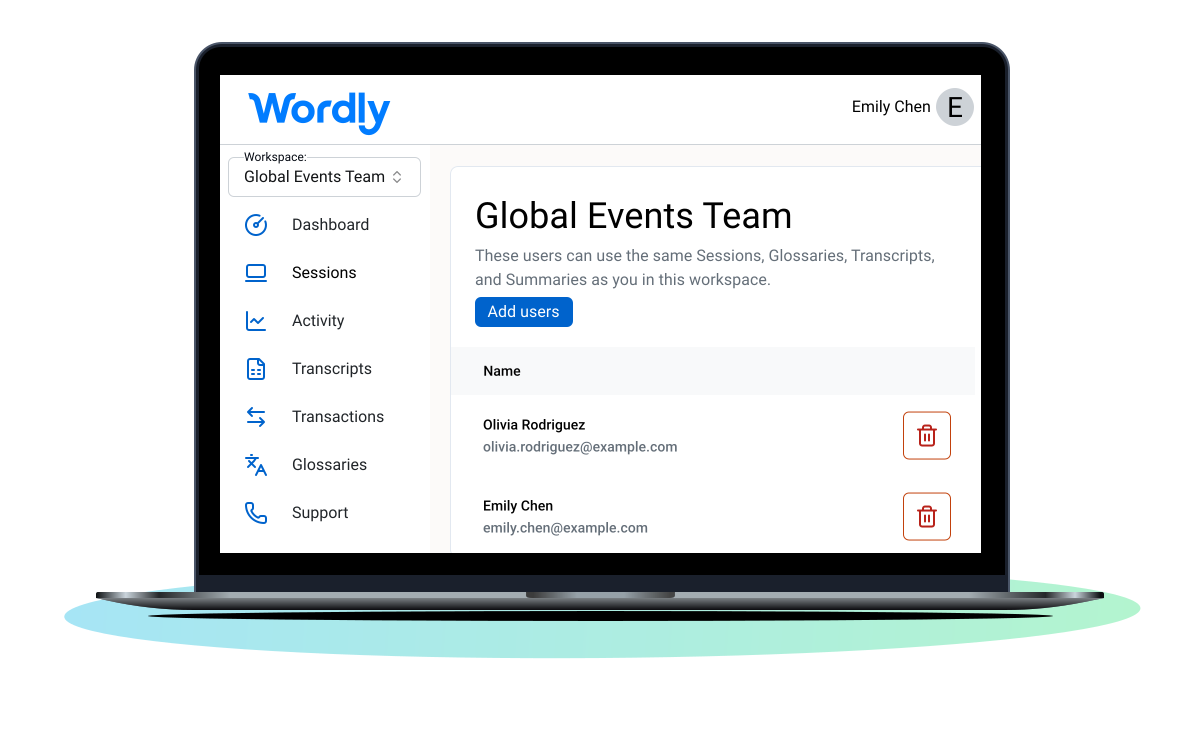
Wordly Workspaces is an enterprise-ready translation management platform that lets you scale and manage live AI translation, captions, and summaries across your entire organization. Built with SOC 2 Type II compliance, ISO 27001 certification, GDPR/CCPA/HIPAA privacy standards, SSO integration, and high availability infrastructure, Workspaces provides a secure, shared environment for enterprise team collaboration at global scale.
.avif)
.avif)
Wordly Workspaces turn live translation and captions into a team-ready, enterprise-wide capability. They’re designed for organizations scaling live AI translation and captions beyond one-off events.
By decoupling sessions from individual owners, you empower teams to standardize terminology, share live session management, and collaborate on post-event assets.
Anyone in your Workspace can step in and run pre-configured multilingual sessions with ease. Achieve total operational continuity even when staff changes. Wordly Workspaces is collaboration at scale and with purpose.
Collaborate across multilingual sessions
Give teams shared access to sessions so anyone can launch, manage, or support live translation together. If a presenter or admin changes, any team member can step in and keep sessions running without disruption.
Keep terminology consistent everywhere
Share and update glossaries with teams to ensure accurate, on-brand language in every meeting and event. Whether it's a town hall or an engineering standup, your specific terminology remains consistent.
All your post-event assets, in one place
Access shared transcripts, captions, and summaries after each session from a central location. Easily translate into dozens of languages and export in relevant file formats for immediate use by marketing or compliance teams.
Enterprise-grade security, built in
Work confidently knowing Wordly meets the highest standards for data protection, including SOC 2 Type II and ISO 27001 certification. Scale with confidence using a centralized command center governed by your organization's SSO security protocols.
Wordly does more, costs less, and is amazingly easy to set up and use. It’s secure, compliant and trusted in meetings, conferences, and events attended by thousands.
Conferences & Events
Treat workspaces as your event command center. Enable entire production teams to access and manage multilingual sessions.
Government
Use shared glossaries to ensure critical public safety or policy terms are translated consistently across all agencies.
Enterprise
Scale AI across the enterprise. Power multilingual sales kickoffs, all-hands, and global meeting in one secure workspace.
Associations & Nonprofits
Organize language access by chapter, program, event, or meeting, giving volunteers shared tools without sacrificing admin control.
Education
Create secure workspaces for each campus or department. Support multilingual meetings, lectures, and academic events.
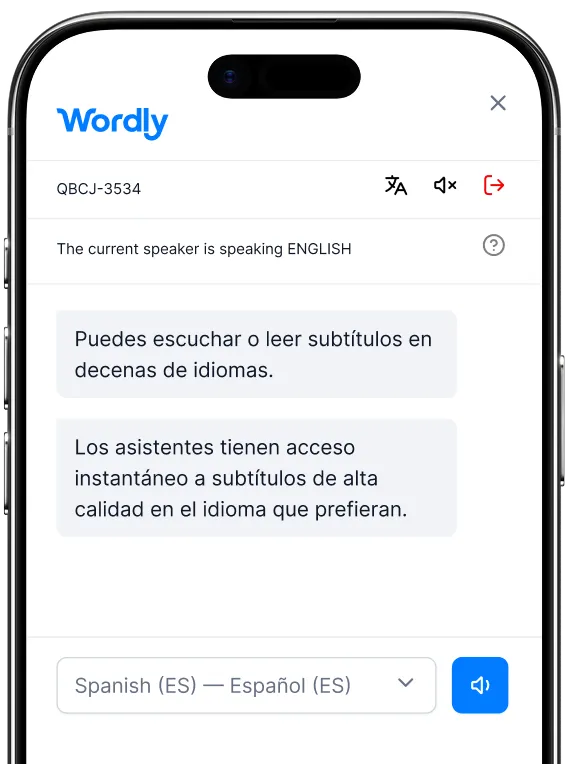

.webp)
Wordly Workspaces empower teams to collaborate seamlessly by providing a secure, shared environment for managing sessions, glossaries, and transcripts. Here's how to get started:
Every workspace also generates text transcripts, voice transcripts, summaries, and captions in dozens of languages. Great for simplifying post-event tasks like adding subtitles to videos or sharing key takeaways from meetings.
More Resources - To access all Wordly resources, including case studies, guides, and videos, visit our resources page.
Scale AI Translation and Captions effortlessly. Empower your teams to communicate clearly, consistently, and without disruption.
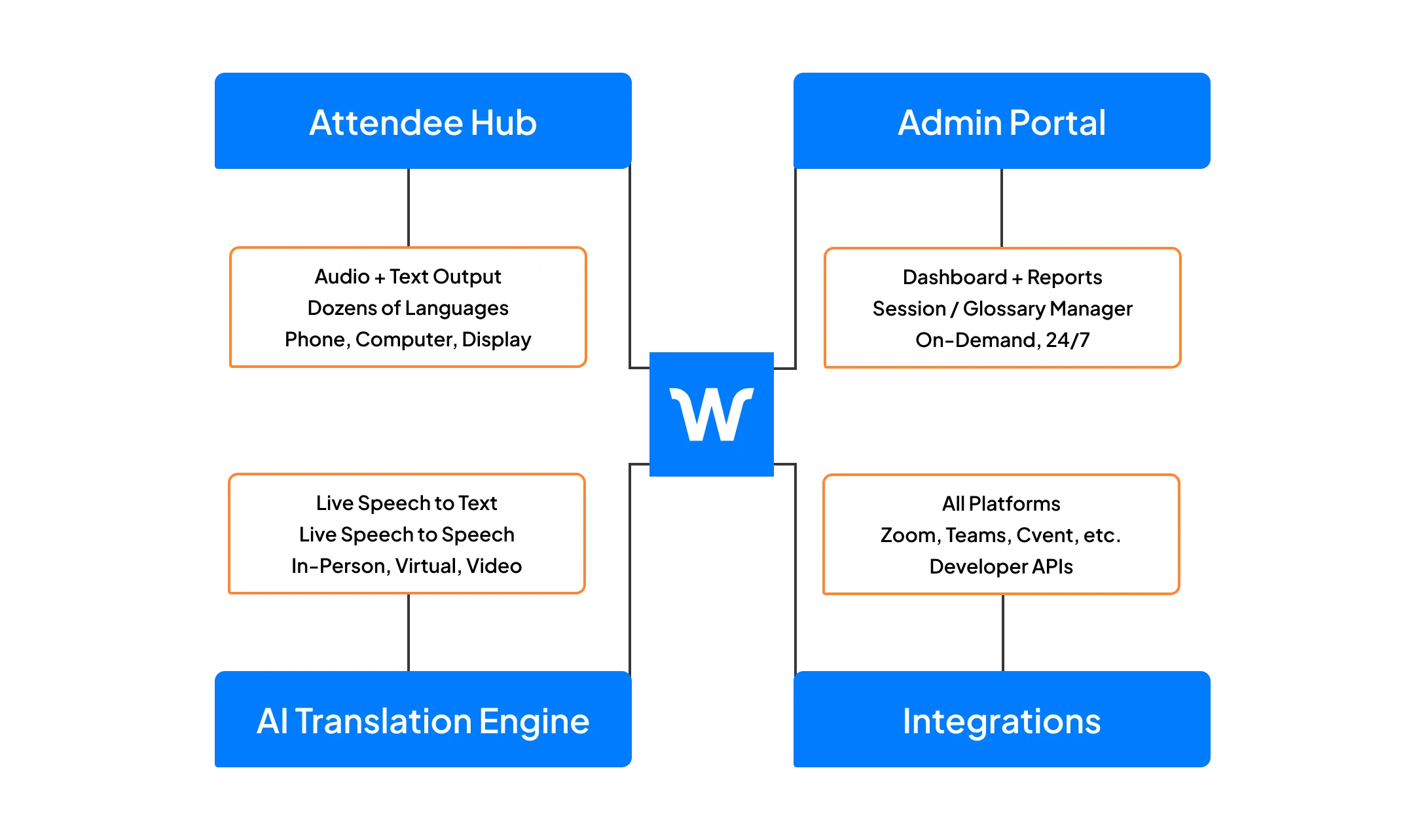
Workspaces is part of the Wordly Platform which includes live translation and captions, along with post-event text transcripts, voice transcripts, and summaries. Use the text transcript files to create captions and subtitles for videos - and the voice transcript files to dub videos. Use the summaries for post-event content sharing and marketing programs. The Wordly Platform provides a comprehensive all-in-one AI-powered solution to meet language access needs across your organization.
.png)
%20(1)%201.webp)
.png)
In a 30-minute video call, we will show you how Wordly can work for your use case, and answer questions.
.avif)
A Personal Workspace belongs to a single user for their private sessions and data. A Shared Workspace allows a group of users to access and edit the same Wordly assets (sessions, glossaries, transcripts), enabling true team collaboration.
Shared Workspaces are managed by the Organization Admin. Only Organization Admins can create new shared workspaces, manage user access, and configure Session Defaults for the group.
When a user is added to a Shared Workspace, copies of their personal glossaries are added to the workspace. This allows the team to utilize those terms immediately. However, changes made in the shared glossary do not sync back to the personal one, preserving data integrity.
Yes. Wordly Workspaces is built with enterprise-grade security, including SSO integration, SOC 2 Type II compliance, and ISO 27001 certification, ensuring your organization's data remains protected.
.avif)
.png)