Capture and Analyze Audience Engagement → Learn More
Make meetings and events more engaging with Wordly. Attendees can highlight and save key moments during every session. Organizers capture audience sentiment and see exactly what resonated.
.avif)
.avif)
Available October 2026
You invest a lot of time and money in your meetings and events - and attendee engagement is critical to a successful outcome and high ROI. You create interesting content, find great presenters, and provide translation and captions to make sure everyone can follow along. But how do you know if the content was well received? Wordly Attendee Engagement can help solve that problem.
The Audience Engagement capabilities are embedded within Wordly's live content stream, accessible on the Wordly app which has over 6 million users worldwide. One app supports real-time translation for dozens of languages, live captions, and the ability for attendees to capture key moments and provide real-time feedback during every session. Meeting organizers also get access to valuable insights into audience sentiment and engagement for every session. There is no additional AV set up or equipment required. Attendee Engagement runs alongside all existing Wordly capabilities, making the experience seamless for attendees, presenters, AV teams, and event organizers.
Now you can offer real-time engagement and collect real-time sentiment data, alongside the live translation and captions already offered from Wordly.
Make your events more inclusive, accessible, and engaging.
Now every attendee has a reason to use Wordly at every meeting and event. Whether they need translation for another language, captions to read the content, or the ability to take notes and share live feedback, everything is available within a single app. Every attendee feels included, can access the content the way they want to, and seamlessly engage with the presentations - making the experience better for everyone. The Wordly app is free, has over 6 million users worldwide, and does not collect or share any personal information.
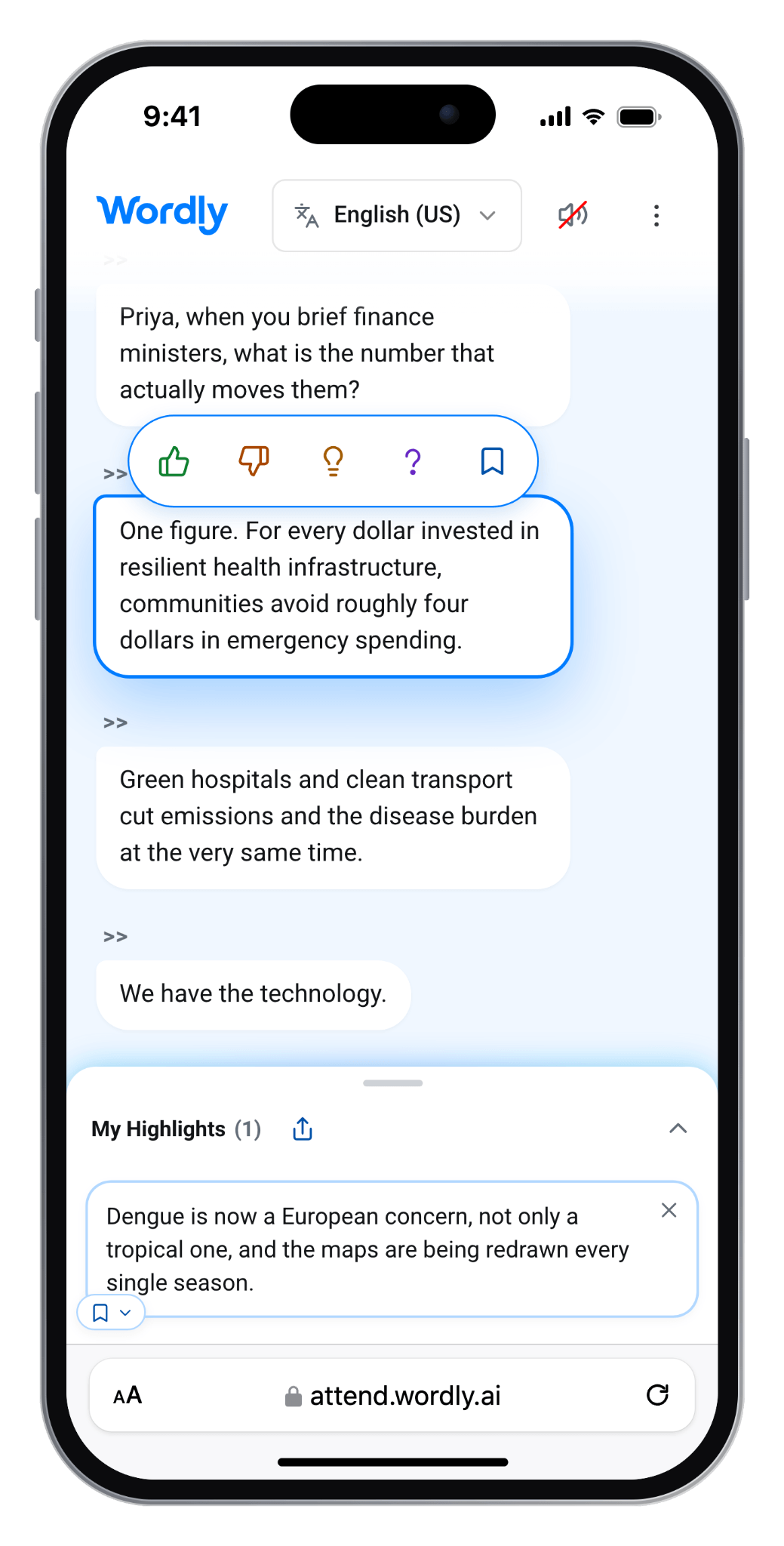
Attendees save highlights on their phone
The Wordly Portal provides a one stop hub for event organizers. This is where you set up sessions, create glossaries, generate access codes, and view dashboards for account usage and session engagement. Everything the event organizer needs is conveniently located in a secure area within the Wordly platform.
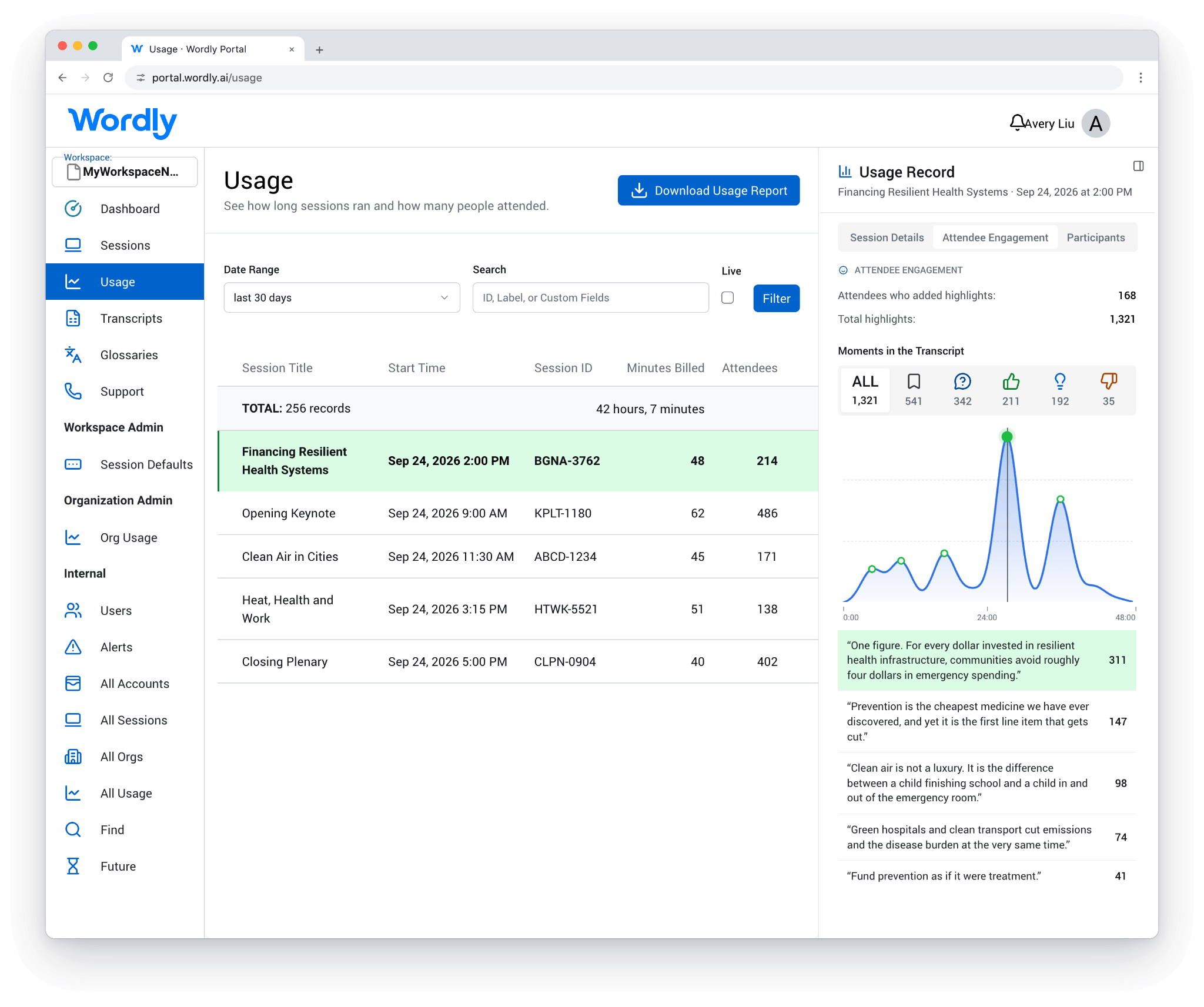
Organizers access metrics on the Wordly Dashboard
.avif)
We support every stage of the event lifecycle - from pre-event planning, to the live stage, to post-event content management.
Before the Event
.webp)
During the Event
.webp)
After the Event
.webp)
Enterprise-ready: ISO 27001 | SOC 2 Type II | GDPR, HIPAA, CCPA, VPAT


Audience Engagement is a set of interactive features built into the Wordly live translation and caption stream. Attendees can react with emojis, highlight key moments, and save notes during a session. Organizers can track audience sentiment and see which statements resonated most. It runs alongside Wordly’s live translation, captions, and post-event summaries.
Attendees open Wordly on their mobile devices and engage directly with the live translation and captions as presenters speak. They can pin emoji reactions to specific sentences, highlight key moments, and save personal notes. After the session, they can export their takeaways, session notes, and post-event summaries.
With Wordly Audience Engagement, organizers see engagement metrics and audience sentiment as each session unfolds, without interrupting the speaker. Because reactions and highlights are tied to specific statements, organizers can identify which topics, quotes, and moments resonated most with the audience.
No. Attendees don’t need accounts, logins, or special hardware. They participate on their own mobile devices through the Wordly web app. Audience Engagement also runs natively alongside existing Wordly features, so organizers and AV teams don’t need any additional setup or equipment.
Yes. Audience Engagement is embedded in the same live content stream that delivers Wordly real-time translation and captions in dozens of languages. Attendees can react to and highlight content while following along in their preferred language, then export their takeaways in any language.
.png)
%20(1)%201.webp)
.png)