Capture and Analyze Audience Engagement → Learn More
Monetize Your Events
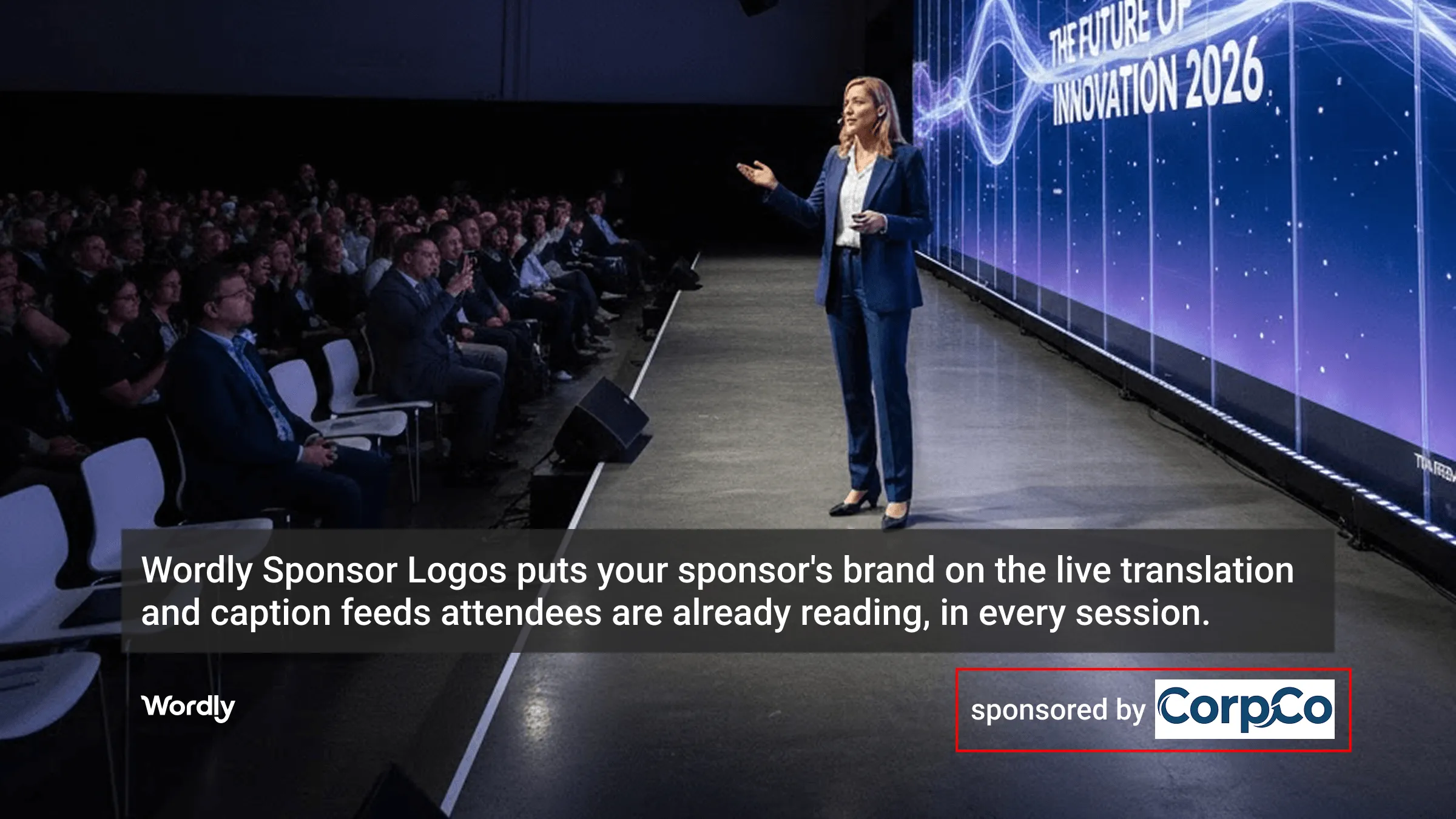
Wordly lets you add a sponsor's logo to the translation and caption feeds your attendees are already reading — on the room display and every phone in the audience. It's a simple way to turn a service you pay for into new sponsorship revenue.
.avif)
.avif)
Many event organizers sell out their sponsorship inventory - signage, the event app, lanyards, and keynote slots. Sponsors are always looking for the next placement opportunity, especially high-visibility ones that hold attendees’ attention throughout the sessions.
Your live translation and caption feed already has that attention. Attendees see translation and captions on their phones, or read it on the room displays, in whatever language they need. Wordly Sponsor Logos puts a sponsor's brand right there, without changing anything about how your sessions run.
Your live translation and caption feed is where their eyes are already focused—put your sponsor’s brand directly in their field of view for maximum engagement during every session.
Integrates seamlessly into your existing workflow, allowing you to monetize your event without adding work to your team’s schedule.
Maintain brand consistency regardless of the session language. Whether your attendees are following along in English, Spanish, French or any other language, your sponsor’s brand remains front and center for everyone.
Transform essential language access services into a powerful, self-funding revenue driver. Use high-value caption and translation inventory to offset your expenses and improve your event's bottom line immediately.
Here are two samples of where the sponsor logos can be displayed:
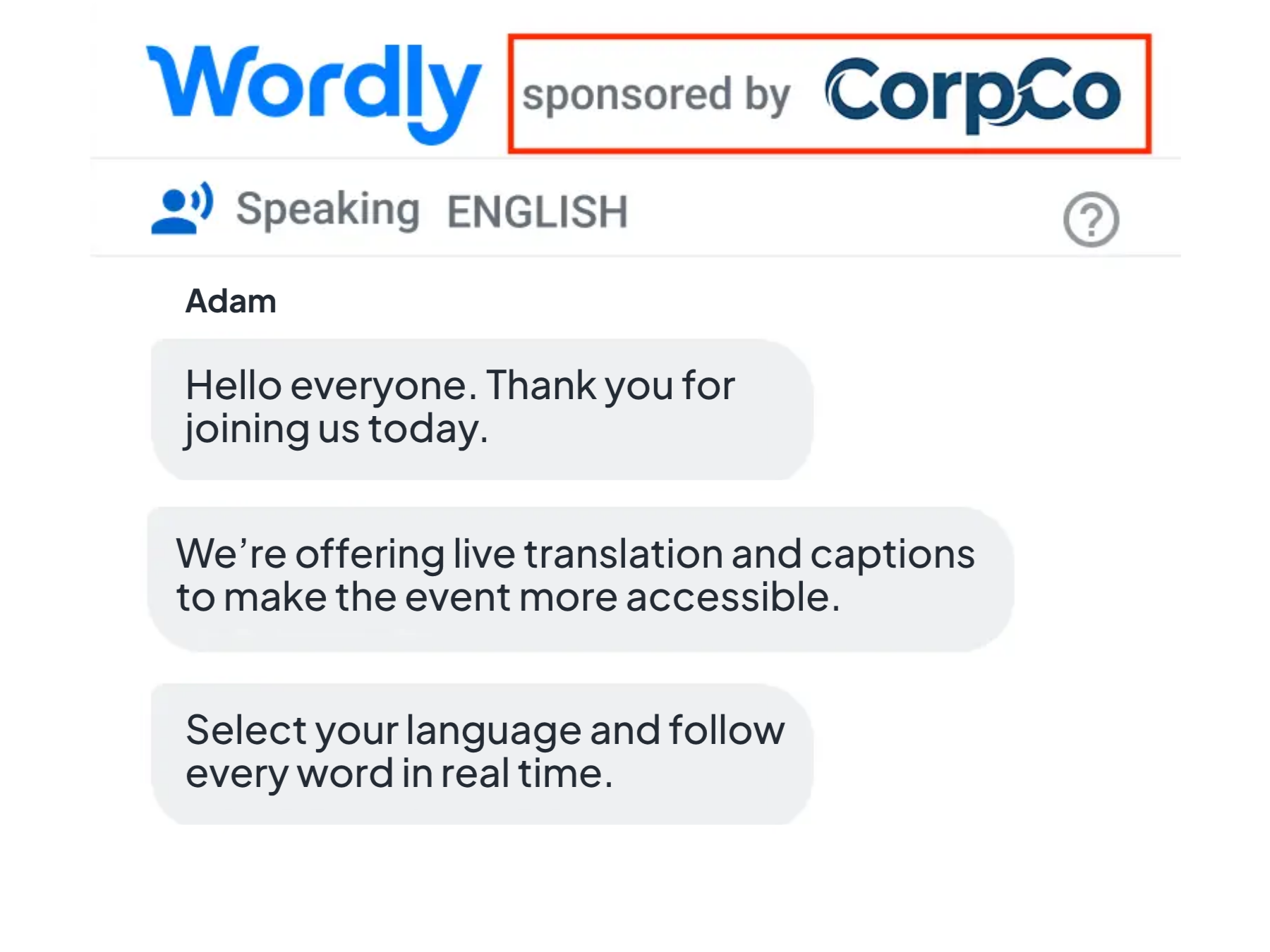
Partner logo on a phone.
Partner logo on the main stage screen.
Live AI captions and translation make events more accessible and engaging, but are often skipped due to budget constraints. Sponsor Logos changes that. By selling sponsorship placements on the live translation and caption feeds, you can offset expenses or even turn a profit.
It’s an effective way to fund inclusivity while offering partners high-visibility branding in every session on attendee phones, room monitors, or main stage displays. Plus, with the ability to assign unique logos to different stages or rooms, you can maximize your sponsorship inventory across multiple partners.
There are a few ways event organizers typically handle sponsor visibility on translation and captions today.
1. Do nothing. The most common approach. It costs nothing to set up, but it also means one of the most-viewed screens at your event carries no sponsor value at all.
2. Use a generic logo swap. Some vendors let you replace their branding with your logo. That's useful for your identity, but it's a single, fixed logo — not something you can resell to a sponsor or rotate across sessions.
3. Use Wordly Sponsor Logos. A sponsor's logo appears directly on the live caption feed, including the room displays and every attendee's phone, in every language you're running. It's a valuable placement you can sell alongside your other sponsorships.
Sponsor Logos is a Wordly add-on that places a sponsor's brand on the live translation and caption feeds your attendees are already reading, on the room and stage displays and on every phone in the audience. It turns a service you already use into a high-visibility placement you can monetize, without changing how you manage your sessions.
Sponsor logos can be displayed wherever attendees follow the sessions: on their phones, on room monitors, and on the main stage screen. The logo stays in view throughout the session in whatever language each attendee is using.
Yes. You can assign a unique logo to each stage, room, or session, so you can sell placements to multiple partners across your event and get more out of your sponsorship inventory.
No. Sponsor Logos fits into your existing Wordly workflow with no change to how sessions are delivered, so you can activate a sponsorship without adding work for your team.
Sponsor Logos is an add-on to your Wordly account, priced based on the size of your events. Many organizers offset the cost, or come out ahead, by selling this placement to a sponsor.
Sponsor Logos is an add-on to your Wordly account. Contact your Wordly representative to have it enabled for your events.
Sponsor Logos is an add-on to your Wordly account. Contact your Wordly representative to learn more.
.png)
%20(1)%201.webp)
.png)
.avif)
