Capture and Analyze Audience Engagement → Learn More
Live Audio Streaming Without the Headset Rentals
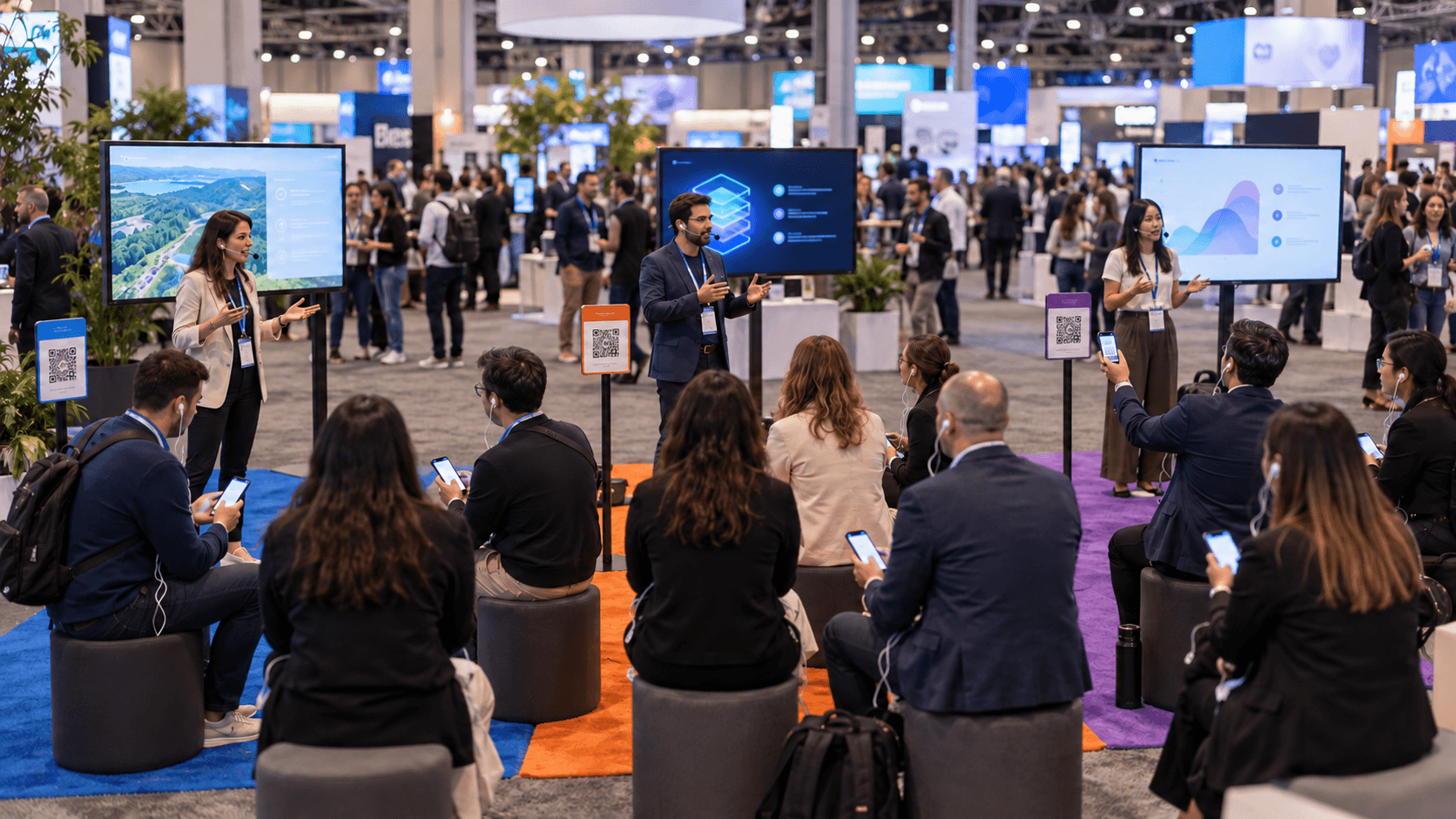
Silent Theater audio streaming lets you run sessions side by side at your event without the cost and complexity of renting headphones and special equipment.
.avif)
.avif)
Traditionally, running conferences with silent sessions meant renting a crate of wireless headsets, transmitters, & chargers; and setting up a check-in desk with staff to hand headsets out and clean them after each session. The cost scales with every person in the room, and the logistics impact an already stretched team. Wordly Silent Theater removes all of these issues. The hardware is the phone and headphones your attendees have already brought to the event.
Silent Theater sends the speaker's voice directly to each listener instead of pushing it through the room’s AV system. Event teams use it wherever noise is a problem: breakout stages without walls, lounges where sound would bleed into the next session, and busy expo floors where a booth presentation competes with the noise of the hall.
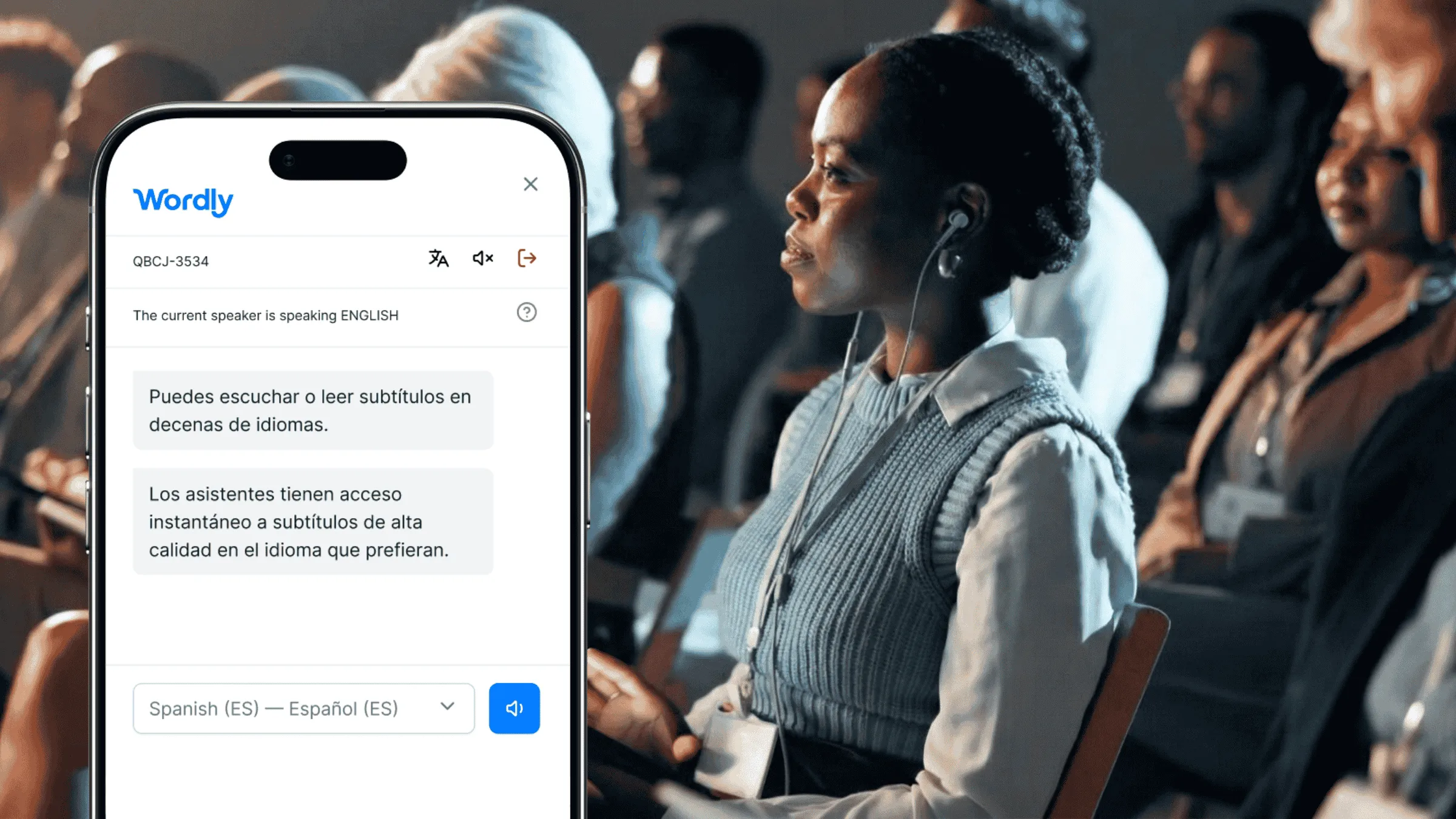
Whether you call it silent theater, silent disco, floor audio, or silent conferences, our solution ensures your attendees hear clear audio in any environment. We’ve designed Silent Theater to provide the seamless experience you need, regardless of what you call it.
What you get with Wordly Silent Theater
There are three common ways to handle an event where speaker proximity can create significant audio interference issues.
1. Do Nothing. The default is to turn the volume up and live with the consequences: the audio bleeds from one session to the next; the venue limits how loud you can set the volume; and the back of the room misses half of the presentation. While there is no additional cost, you end up with a bad attendee experience.
2. Rent Headsets. The traditional silent conference kit: wireless headsets, transmitters and channel coordination. It works, but the price scales with the audience, the kit has to be shipped, charged, distributed and sanitized after every session, and somebody has to staff the desk.
3. Use Wordly Silent Theater. Attendees listen on their own devices (phone + headphones). Nothing is shipped and nothing needs to be cleaned. You also get live captions and translation from the same stream, and rooms can be added to the conference on short notice.

Wordly Silent Theater Equipment - Attendees use their own device and headphones

Traditional Solution - Requires headset rental, shipping, cleaning, and desk management
Silent Theater, also called floor audio, silent disco, or silent sessions, is a way to deliver a presenter's audio straight to each listener's own device instead of playing it over the room's speakers. With Wordly, attendees scan a QR code to listen on their phone and headphones, and they can also read live captions or follow along in dozens of languages during the same session.
Yes. Floor audio is another name for Wordly Silent Theater. It is a common fit for busy expo floors and booth presentations, where a speaker can reach their audience clearly without competing with the noise of the hall.
Yes. Silent disco is another name for what Wordly calls Silent Theater. Attendees listen on their own phones and headphones instead of rented headsets, so you get the same quiet, one-to-many listening experience with none of the hardware to ship, charge, or hand out.
Yes. Silent sessions is one of the terms people use for Wordly Silent Theater. It lets you run multiple sessions side by side, even in open spaces or rooms without walls, because each attendee hears their session through their own device rather than the room's speakers.
Just the phone and headphones they already brought. Attendees scan a QR code to join the session and listen on their own device, so there are no headsets to rent, ship, or sanitize. On your side, all you need is a presenter with a microphone, a solid wireless connection, and a Wordly account.
Silent Theater is available on its own or as an add-on to your existing Wordly package.
Contact your Wordly representative to learn more.
.png)
%20(1)%201.webp)
.png)

.avif)
