Wordly classificada como a 52ª empresa de software que mais cresce pela Inc. 5000 → Leia mais
Ofereça áudio no local sem aluguel de equipamentos com o Silent Theater → Saiba Mais
Enterprise Translation Management
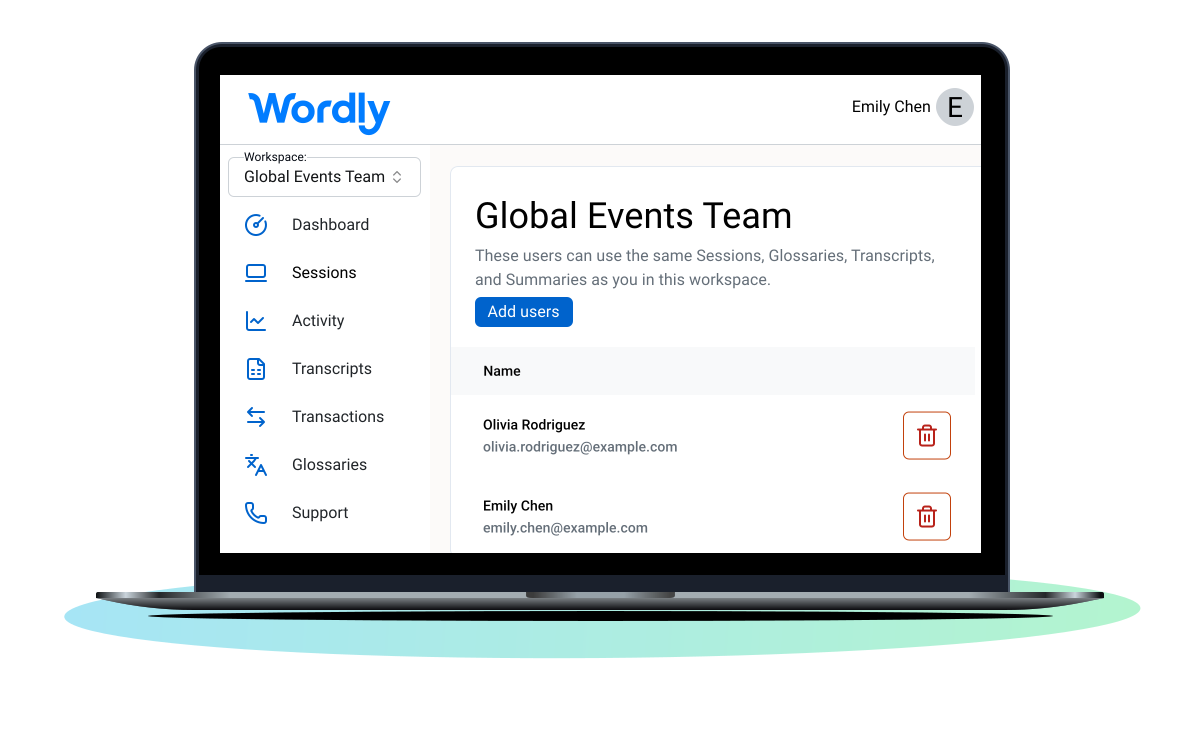
A Wordly Workspaces é uma plataforma de gestão de tradução pronta para empresas, que permite escalar e gerir traduções, legendas e resumos com IA em tempo real em toda a sua organização. Desenvolvida com conformidade SOC 2 Tipo II, certificação ISO 27001, padrões de privacidade GDPR/CCPA/HIPAA, integração SSO e infraestrutura de alta disponibilidade, a Workspaces oferece um ambiente seguro e partilhado para a colaboração de equipas empresariais à escala global.
.avif)
.avif)
O Wordly Workspaces transforma traduções e legendas ao vivo em um recurso pronto para toda a empresa, pronto para toda a equipe. Eles foram projetados para organizações que escalam traduções e legendas de IA ao vivo além de eventos pontuais.
Ao dissociar as sessões dos proprietários individuais, você capacita as equipes a padronizar a terminologia, compartilhar o gerenciamento de sessões ao vivo e colaborar em ativos pós-evento.
Qualquer pessoa em seu espaço de trabalho pode entrar e executar sessões multilíngues pré-configuradas com facilidade. Alcance a continuidade operacional total mesmo quando a equipe muda. O Wordly Workspaces é colaboração em grande escala e com propósito.
Colabore em sessões multilíngues
Ofereça às equipes acesso compartilhado às sessões para que todos possam iniciar, gerenciar ou apoiar a tradução ao vivo juntos. Se um apresentador ou administrador mudar, qualquer membro da equipe poderá intervir e manter as sessões funcionando sem interrupções.
Mantenha a terminologia consistente em todos os lugares
Compartilhe e atualize glossários com as equipes para garantir uma linguagem precisa e fiel à marca em todas as reuniões e eventos. Seja uma prefeitura ou uma empresa de engenharia, sua terminologia específica permanece consistente.
Todos os seus ativos pós-evento, em um só lugar
Acesse transcrições, legendas e resumos compartilhados após cada sessão a partir de um local central. Traduza facilmente para dezenas de idiomas e exporte em formatos de arquivo relevantes para uso imediato pelas equipes de marketing ou conformidade.
Segurança de nível empresarial, integrada
Trabalhe com tranquilidade sabendo que o Wordly atende aos mais altos padrões de proteção de dados, incluindo as certificações SOC 2 Tipo II e ISO 27001. Escale com confiança usando uma central de comando unificada, regida pelos protocolos de segurança SSO da sua organização.
O Wordly faz mais, custa menos e é incrivelmente fácil de configurar e usar. É seguro, compatível e confiável em reuniões, conferências e eventos com a participação de milhares de pessoas.
Conferências e eventos
Trate os espaços de trabalho como seu centro de comando de eventos. Permita que equipes de produção inteiras acessem e gerenciem sessões multilíngues.
Governo
Use glossários compartilhados para garantir que termos críticos de segurança pública ou política sejam traduzidos de forma consistente em todas as agências.
Empresarial
Amplie a IA em toda a empresa. Promova lançamentos de vendas multilíngues, reuniões gerais e globais em um espaço de trabalho seguro.
Associações e organizações sem fins lucrativos
Organize o acesso ao idioma por capítulo, programa, evento ou reunião, oferecendo aos voluntários ferramentas compartilhadas sem sacrificar o controle administrativo.
Educação
Crie espaços de trabalho seguros para cada campus ou departamento. Apoie reuniões, palestras e eventos acadêmicos multilíngues.

.webp)
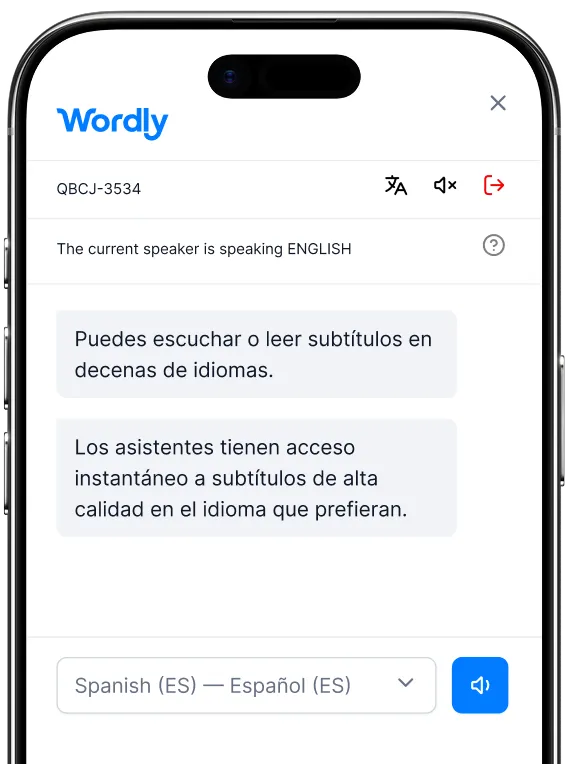
O Wordly Workspaces capacita as equipes a colaborar sem problemas, fornecendo um ambiente seguro e compartilhado para gerenciar sessões, glossários e transcrições. Veja como começar:
Cada espaço de trabalho também gera transcrições de texto, transcrições de voz, resumos, e legendas em dezenas de idiomas. Ótimo para simplificar tarefas pós-evento, como adicionar legendas a vídeos ou compartilhar as principais conclusões de reuniões.
Mais recursos - Para acessar todos os recursos do Wordly, incluindo estudos de caso, guias e vídeos, visite nosso recursos página.
Dimensione a tradução e as legendas com IA sem esforço. Capacite suas equipes a se comunicarem de forma clara, consistente e sem interrupções.
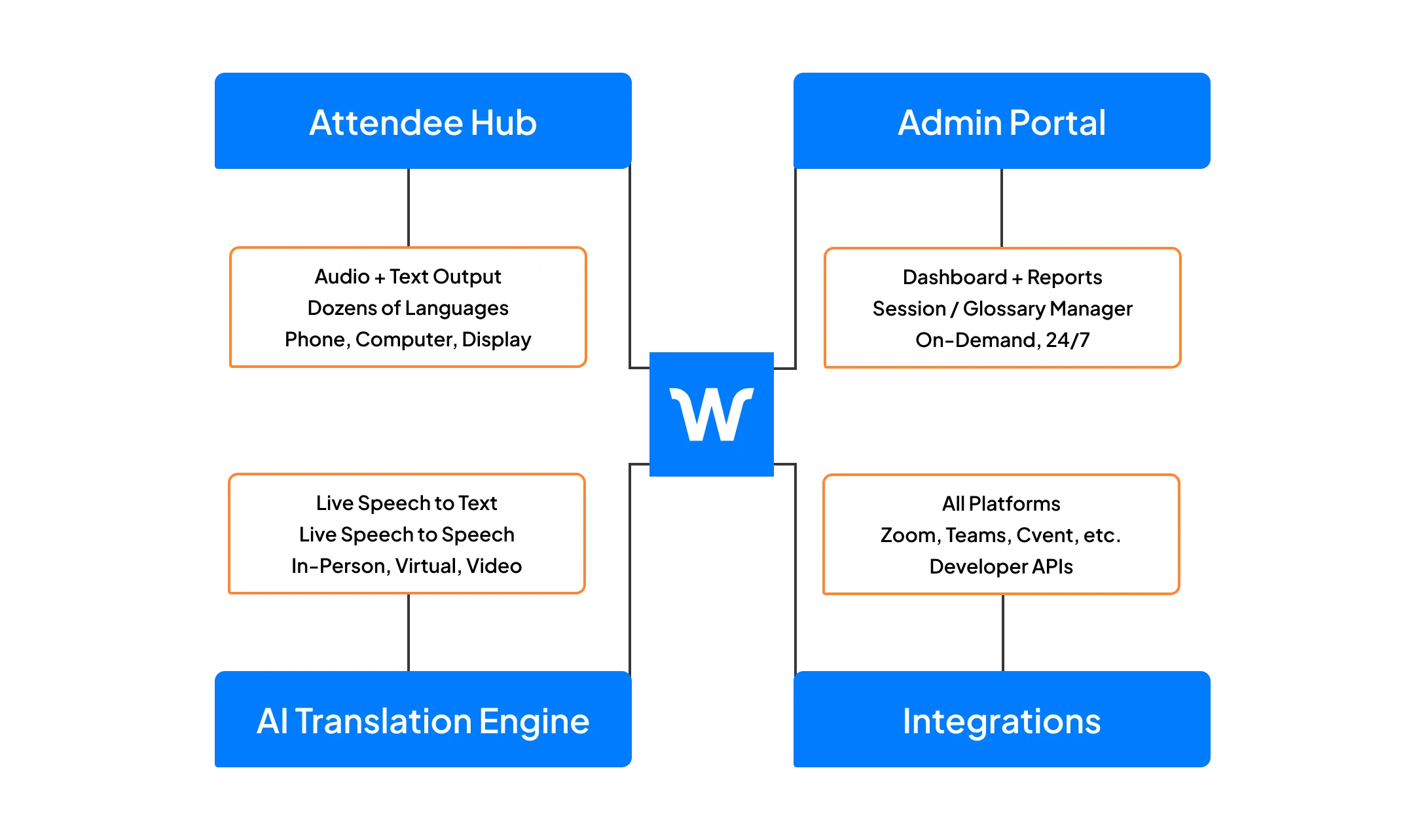
O Workspaces faz parte da Plataforma Wordly, que inclui tradução e legendas ao vivo, além de transcrições de texto, transcrições de voz e resumos pós-evento. Utilize os arquivos de transcrição de texto para criar legendas para vídeos e os arquivos de transcrição de voz para dublar vídeos. Use os resumos para compartilhamento de conteúdo pós-evento e programas de marketing. A Plataforma Wordly oferece uma solução completa e integrada baseada em IA para atender às necessidades de acessibilidade linguística em toda a sua organização.
.png)
%20(1)%201.webp)
.png)
Em uma videochamada de 30 minutos, mostraremos como o Wordly pode funcionar para o seu caso de uso e responderemos às suas perguntas.
.avif)
Um espaço de trabalho pessoal pertence a um único usuário para suas sessões e dados privados. Um espaço de trabalho compartilhado permite que um grupo de usuários acesse e edite os mesmos ativos do Wordly (sessões, glossários, transcrições), permitindo uma verdadeira colaboração em equipe.
Os espaços de trabalho compartilhados são gerenciados pelo administrador da organização. Somente os administradores da organização podem criar novos espaços de trabalho compartilhados, gerenciar o acesso do usuário e configurar os padrões de sessão para o grupo.
Quando um usuário é adicionado a um espaço de trabalho compartilhado, cópias de seus glossários pessoais são adicionadas ao espaço de trabalho. Isso permite que a equipe utilize esses termos imediatamente. No entanto, as alterações feitas no glossário compartilhado não são sincronizadas com o pessoal, preservando a integridade dos dados.
Sim. O Wordly Workspaces foi desenvolvido com segurança de nível empresarial, incluindo integração SSO, conformidade SOC 2 Tipo II e certificação ISO 27001, garantindo que os dados da sua organização permaneçam protegidos.
O Wordly.ai está disponível em vários idiomas usando o seletor na parte superior de cada página. O Wordly é especializado em tradução de áudio ao vivo e não foi usado para traduzir este site.

.avif)
.png)