WordlyがInc. 5000の「最も急成長しているソフトウェア企業」ランキングで52位に選出されました → 詳細はこちら
ライブAI翻訳、キャプション、要約、トランスクリプト
バーチャル会議をグローバルな会話に変えましょう。Wordly AI 翻訳エージェントは Microsoft Teams、Zoom、Google Meet、Webex に接続します。AI 翻訳、キャプション、トランスクリプト、要約をライブ配信します。
.avif)
.avif)
Wordly AI 翻訳エージェントは、静かでありながら洗練された参加者としてオンライン会議に参加します。ボットは音声をキャプチャし、参加者全員に数十の言語で即時AI翻訳と字幕を提供します。プラグイン、プレミアムライセンス、複雑な設定は不要です。
ホストにとってシンプル
Wordly ダッシュボードから AI 翻訳エージェントを起動し、ミーティング URL を貼り付けて、アクセスリンクまたは QR コードを共有します。残りはWordlyが処理します。
参加者にとってシームレス
参加者はこの URL を使用してコンピューター上の翻訳にアクセスしたり、スマートフォンで QR コードをスキャンしてすぐに翻訳したりできます。翻訳された音声を聞いたり、ライブキャプションを読んだりできます。

リアルタイムの AI 翻訳とキャプションが簡単に:
Wordly AI エージェントの使用方法の詳細については、 デモをスケジュールする。

すべての会議やイベントでリアルタイムのTeams翻訳とTeamsキャプションを体験してください。Microsoft Teams ミーティングの音声をリアルタイムでワード処理し、話されている内容を数十の言語に同時に翻訳します。
についてさらに詳しく チーム翻訳

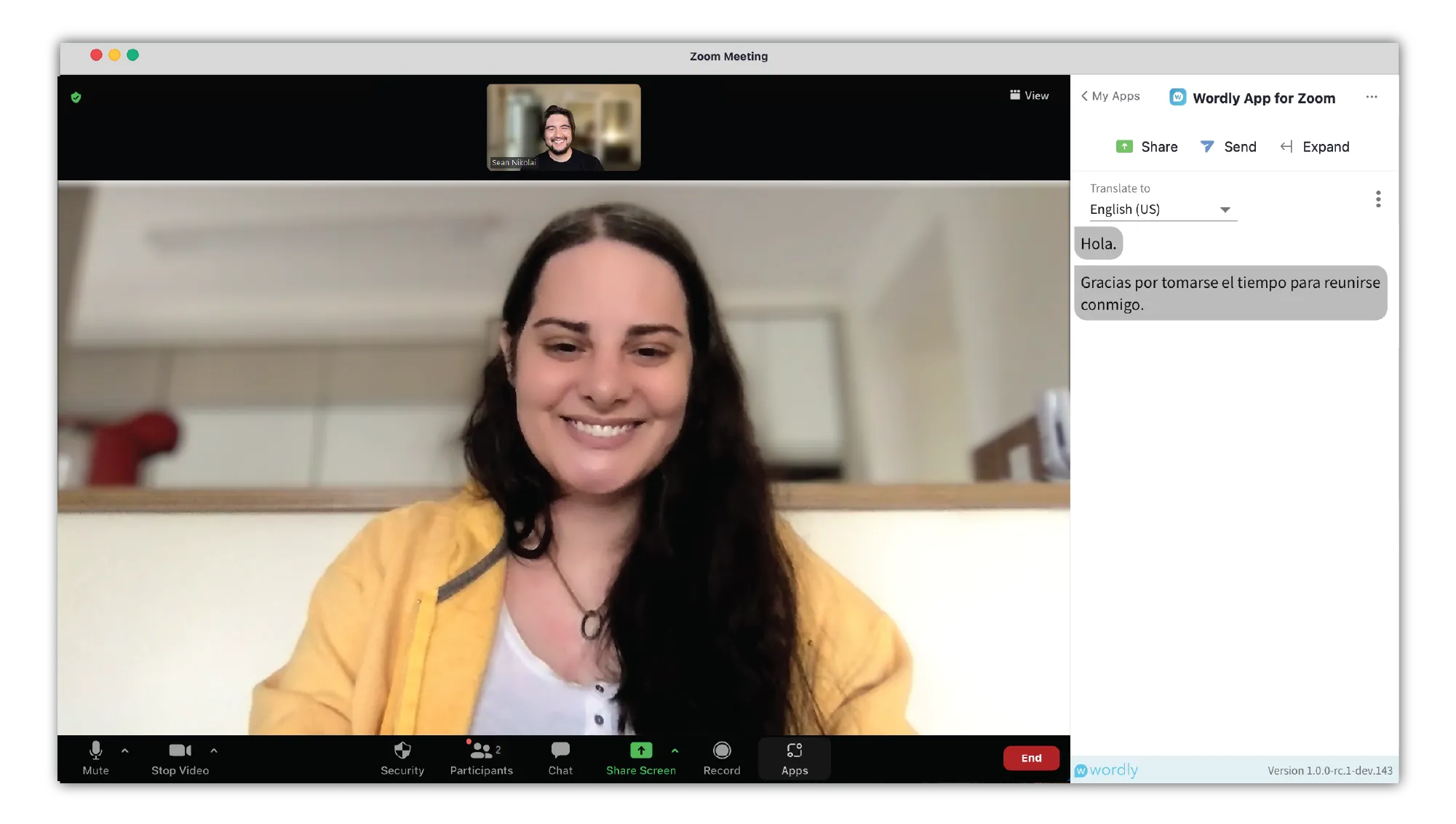
Zoomミーティング中に、Zoom用のWordlyアプリを介してライブ翻訳を体験してください。Zoom用Wordlyアプリは、Zoomミーティングの音声をリアルタイムで処理し、他のミーティング参加者が選択した言語への同時通訳を行います。
についてさらに詳しく ズーム翻訳

会議の開催方法を変更することなく、あらゆる Google Meet 通話に多言語でアクセスできます。Wordly AI 翻訳エージェントは静かにセッションに参加し、音声を Wordly にストリーミングし、世界中の参加者がリアルタイムで翻訳や字幕を記入できるようにします。

WordlyはWebexにシームレスに統合できるため、会議やウェビナーの参加者は選択した言語で参加できます。Wordly ボットを使用するか、Wordly を Webex プラットフォームに統合することができます。
多言語への即時アクセスを希望するチーム 複雑なセットアップや高価な会議プラットフォームアドオンは必要ありません。
グローバルチームまたは分散チーム ズーム、チーム、グーグルミート、またはウェベックスで会う人。
インクルージョンを重視する組織、アクセシビリティ、および明確な言語間コミュニケーション。
定期的な会議とトレーニングセッション 正確で信頼できる翻訳が必要です。
オンライン会議をWordlyに接続するサイレント会議参加者です。会議の音声をキャプチャし、数十の言語でのリアルタイムのAI翻訳と字幕を可能にします。会議が終わるたびに、すべてのトランスクリプトにアクセスしたり、重要なポイントを含む要約、吹き替え MP3 ファイル、キャプションファイル、字幕を生成したりできます。すべてが 1 か所に。
翻訳ボットは、Microsoft Teams、Zoom、Google Meet、Webexのコミュニケーションプラットフォーム内で多くの場合リアルタイムで言語翻訳を容易にするために設計されたチャットボットまたは自動化ソフトウェアの一種です。Wordly AI 翻訳エージェントは従来の翻訳ボットよりも洗練されており、文字起こし、キャプション、字幕、字幕、要約などを提供します。
いいえ。Wordlyはホストにフルコントロールを与えます。オーディエンスリンクや QR コードは、チャット、電子メール、またはお好みのイベントシステムを通じて手動で共有できます。これにより、この機能はより安全に保たれます。
いいえ。共有されている Wordly リンクを開くか、QR コードをスキャンするだけで、希望する言語の翻訳にアクセスできます。アプリやログインは必要ありません。
いいえ。AI 翻訳エージェントは、翻訳と文字起こしのためだけに音声を Wordly にストリーミングします。録音と会議のプライバシーを完全に管理できます。
.png)
.png)
%20(1)%201.webp)
.png)

.avif)
