Wordly Translation App: Features and Capabilities
.avif)
.avif)
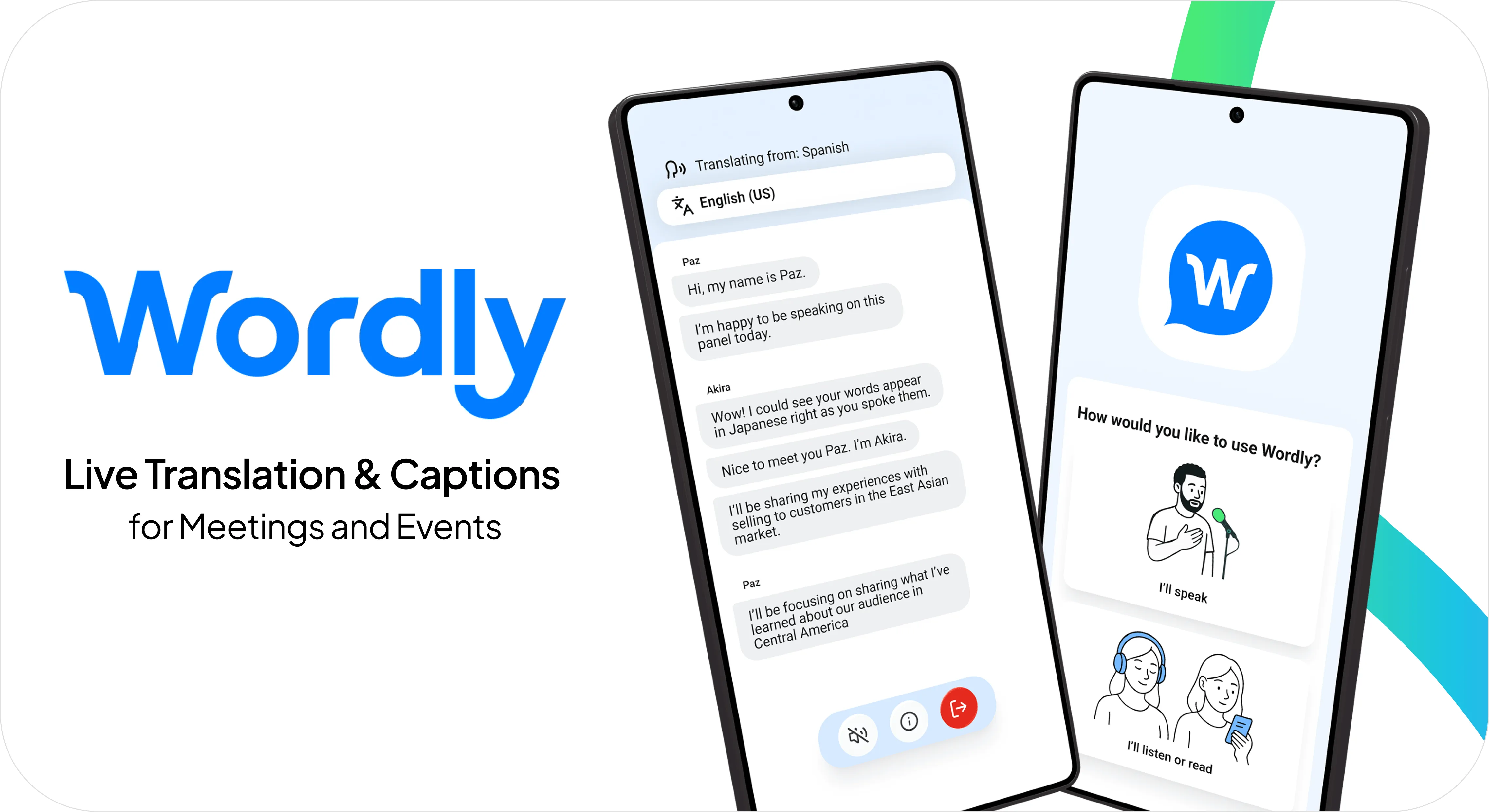
The Wordly Translation App is a free mobile app for iOS and Android that delivers live AI translation and captions in dozens of languages directly to attendees' phones, tablets, or laptops, with no account required and no setup beyond entering a Session ID, tapping a deep link, or scanning a QR code. It supports background audio for multitasking, battery-saving mode for long events, instant language search, automatic speaker change indicators, push-to-talk capability and live transcript splitting for presenters, and automatic language switching for multilingual sessions, making it one of the most flexible mobile translation tools for live meetings, conferences, classrooms, church services, and public hearings.
Modern meetings and events are rarely static. Whether you are navigating a busy conference floor, attending a hybrid all-hands meeting, or participating in a parent-teacher conference, you need tools that move with you. The Wordly Translation App has always empowered users to join sessions from their iOS and Android devices, but our latest updates take mobile flexibility to a new level.
What is the Wordly Translation App?
The Wordly Translation App is Wordly's mobile interface for live AI translation and captions. It runs on iOS and Android and connects to any Wordly session with just a Session ID, a deep link, or a QR code scan. Once connected, attendees can listen to translated audio, read live captions, or follow along with on-screen transcripts in their preferred language.
The app is free to download and free for attendees to use. There's no account required, no software to install beyond the app itself, and no setup beyond joining the session.
For event organizers and speakers, the app also functions as a presentation tool with push-to-talk capability, automatic language switching, and live transcript splitting for organizing post-event content.
What can attendees do with the Wordly Translation App?
For attendees, the Translation App is your personal portal to understanding. We have refined the user interface to support the way people actually use their phones during live events—multitasking, moving, and conserving power.
Easy ways to join a session
Joining a Wordly session takes seconds, not steps. Attendees can tap a deep link shared by the organizer to open the app directly to the right session, scan a QR code displayed on a screen or in an event program, or enter a Session ID the traditional way if a link or code isn't available. This flexibility is especially useful at conferences and events where attendees move between sessions and need to get connected quickly.
Background audio for multitasking
In a fast-paced work environment, you often need to check emails, review presentation slides, or respond to a message while listening to a meeting. The background audio feature lets the Wordly app continue delivering high-quality translated audio even if you switch to another app. You can stay productive and informed without missing a beat of the conversation.
Battery-saving mode
Long conferences and all-day events can be tough on your phone battery. Attendees can lock their screens and continue listening to the audio translation, helping preserve battery life so your device lasts through the final session of the day.
Instant language search
Finding your preferred language should be instantaneous. A built-in search bar lets attendees quickly locate and select from dozens of available languages, reducing the need for on-site support and getting participants settled into the session immediately.
Speaker change indicators
Live events are dynamic. Speakers change, topics shift, and it's not always obvious who's talking. The app automatically recognizes when a different speaker begins and signals the change. Whether you're in a panel discussion, a town hall, or a multi-presenter meeting, you always know when the conversation shifts.
What can speakers and presenters do with the Wordly Translation App?
The Wordly Translation App is not just for listening. It's a powerful tool for active participation, with features designed for confident multilingual delivery and post-event content management.
Push-to-talk capability
Speakers can access push-to-talk functionality directly from the Translation App. This is a game-changer for smaller breakout sessions, one-on-one meetings, or parent-teacher conferences. Speakers talk naturally in their native language and Wordly handles the translation for the listener, enabling seamless, two-way dialogue in any setting.
Automatic language switching
In dynamic multilingual settings, speakers might switch languages to accommodate different audience members. The Translation App can recognize these changes and adjust the translation accordingly, ensuring a smooth flow of communication without manual adjustments.
Live transcript splitting
Presenters and admins can split the transcript during a live session, creating clear breaks between speakers, topics, or sessions. This means every meeting, panel, or breakout comes out as its own organized record, making it easier to create caption and subtitle files, dub videos, and share session summaries after the event.
How do different industries use the Wordly Translation App?
These mobile-first capabilities solve real-world challenges across every sector where Wordly is used.
Corporate and Learning & Development
Enable employees to stay productive during global meetings. They can listen to translations while taking notes in other apps, use push-to-talk so non-native speakers can ask questions and present in their own language, and follow speaker change indicators across multi-presenter calls. After the meeting, admins can split the transcript so each topic or breakout comes out as its own record.
Conferences and Events
Give attendees the flexibility to network, check schedules, or review materials while staying connected to sessions. A QR code at the door gets them into the right session in seconds, with no credentials to type and no navigation to figure out between back-to-back talks. Speakers deliver in their native language using push-to-talk, and the audio keeps running even when attendees switch apps.
Education
Transform communication across campus with mobile translation that travels anywhere. The app is built for parent-teacher conferences, student meetings, IEP meetings, and two-way conversations wherever language support is needed. Transcript splitting helps admins create a clean record for every meeting.
Houses of Worship
Keep congregants connected to sermons while they use Bible apps or donate online. Members can listen with screens off to save battery and maintain a reverent atmosphere. Scanning a QR code printed in the bulletin or displayed at the entrance makes joining instant, with no need to type a Session ID while finding a seat.
Government
Make civic participation easier by removing technical barriers. Citizens can join town halls, council meetings, and public hearings by tapping a shared link or scanning a QR code, with no complex setup required. Speaker change indicators keep captions clean and easy to follow across multiple officials.
Download the Wordly Translation App
Accessing these new features is simple and requires no additional cost for current customers.
For Attendees: Simply download the Wordly Translation App from the App Store or Google Play. Enter the Session ID provided by the organizer, select your language, and start listening. No account creation is required.
For Speakers: Download the app and enter the Session ID along with the secure passcode provided to you. This will grant immediate access to speaker-specific features like push-to-talk.
Whether you choose the Translation App or our browser-based web app, Wordly provides the flexibility you need to make every event inclusive and accessible. Every session also generates text transcripts, voice transcripts, and summaries in dozens of languages.
Frequently Asked Questions About Translation App
Is the Wordly Translation App free to download?
Yes, the app is free to download from both the Apple App Store and Google Play Store.
Do attendees need to create an account to use the app?
No. Attendees only need to enter the Session ID provided by the event organizer to join a session.
Does the app work if my phone screen is off?
Yes! One of our newest features allows the translated audio to continue playing even when your screen is locked, helping you save battery life.
Can I use other apps while listening to Wordly?
Absolutely. The background audio feature ensures that the translation continues seamlessly even if you switch to your email, notes, or browser.
See Wordly Translation App in Action
Ready to experience the most flexible mobile translation app? Schedule a quick demo to see how new features like background audio, battery-saving mode, and push-to-talk enable seamless multilingual communication on the go.
Recent Wordly Updates
Wordly Translation App: New Ways to Join, Follow, and Organize Every Session
The Wordly Translation App recently expanded with new features and a refreshed visual design. Explore the latest Translation App updates.
Wordly Workspaces: The Command Center for Enterprise Translation Management
For organizations deploying the Wordly Translation App across multiple teams, departments, or events, Wordly Workspaces provides a secure, shared environment to manage translation, captions, summaries, and content with shared session ownership, glossaries, and SSO support. Learn about Workspaces.


.png)
