
Wordly Launches Voice Transcripts to Help Event Organizers Turn Live Sessions Into Multilingual Video


We are excited to announce the launch of Voice Transcripts, a new feature that lets event organizers create dubbed, multilingual versions of live sessions, presentations, and training content without studios, voice actors, or complex post-production.
Developed in response to client demand, Voice Transcripts expands the Wordly AI translation platform beyond live translation, AI captions, and text transcripts. Organizers can take the translated audio Wordly generates during live sessions and add it to any video editor to produce dubbed audio and subtitles in dozens of languages. The result is a fast, affordable way to create multilingual video for conferences, webinars, workshops, and corporate training.
How Does Voice Transcripts Help Event Organizers?
Voice Transcripts extends the reach of event content to global audiences while cutting the cost and complexity of translation. Organizers can turn keynotes and breakout sessions into accessible multilingual videos in minutes instead of days or weeks.
Example Use Cases:
- Conference organizers can turn live keynotes into dubbed videos in multiple languages for international attendees to watch on demand.
- Corporate training teams can produce multilingual versions of recorded workshops so every employee can access the content, regardless of location or language.
- Trade associations can create multilingual recordings for members who could not attend live, expanding engagement and accessibility.
How Do Event Organizers Create Multilingual Videos With Voice Transcripts?
The workflow takes three steps after a session has been translated live with Wordly:
- Select the session. Log into the Wordly Portal and choose the session to dub.
- Generate Voice Transcripts. Pick the languages you need, and Wordly converts the translated text into natural-sounding MP3 audio files.
- Download and edit. Export the MP3 files and add them to a video editor such as Adobe Premiere Pro, Final Cut Pro, or DaVinci Resolve to finish the multilingual video.
One Platform for Live Translation, Captions, and AI Dubbing
Voice Transcripts extends Wordly’s award-winning AI translation platform from live sessions into on-demand video. Every translated session also produces AI transcription and AI summaries in dozens of languages, so organizers can add subtitles, publish dubbed audio, and share recaps from the same session. The platform gives event teams a secure, enterprise-grade way to turn live sessions into post-event multilingual content without human interpreters or specialized equipment.
Before the Event
- Personalized Onboarding
- Customized Glossaries
- Workflow Optimization
- Session Configuration
During the Event
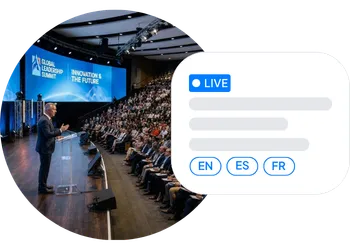
- Live Translation & Captions
- Silent Theater
- Audience Engagement
- 24/7 & On-Site Support
After the Event
- Transcripts & Summaries
- Subtitles & AI Dubbing
- Content Management
- Sentiment Analysis
Enterprise-ready: ISO 27001 | SOC 2 Type II | GDPR, HIPAA, CCPA, VPAT


Frequently Asked Questions About Voice Transcripts
What is Wordly Voice Transcripts?
Wordly Voice Transcripts is an AI dubbing feature that turns the translated text from a live Wordly session into downloadable MP3 audio files in dozens of languages. Event organizers use the files to add dubbed audio to session recordings for on-demand viewing.
Which video editors work with Voice Transcripts?
Voice Transcripts files are standard MP3 audio, so they work in any video editor that accepts audio tracks, including Adobe Premiere Pro, Final Cut Pro, and DaVinci Resolve.
What languages can Voice Transcripts dub into?
Voice Transcripts generates dubbed audio in dozens of languages, and organizers can select as many languages as they need for each session.
Can Wordly dub a video that was not translated live?
Voice Transcripts is built for sessions translated live with Wordly and does not include a video uploader. For existing recordings, organizers can send videos to the Wordly team for transcription and AI dubbing by request.
Who controls access to Voice Transcripts files?
The meeting host decides whether Voice Transcripts is enabled and who can access the downloadable files.
See Voice Transcripts in Action
Turn your next conference, webinar, or training session into multilingual video your global audience can watch on demand. Book a personalized demo to learn how Voice Transcripts, live translation, and captions work for your meetings and events.


