Wordly Platform
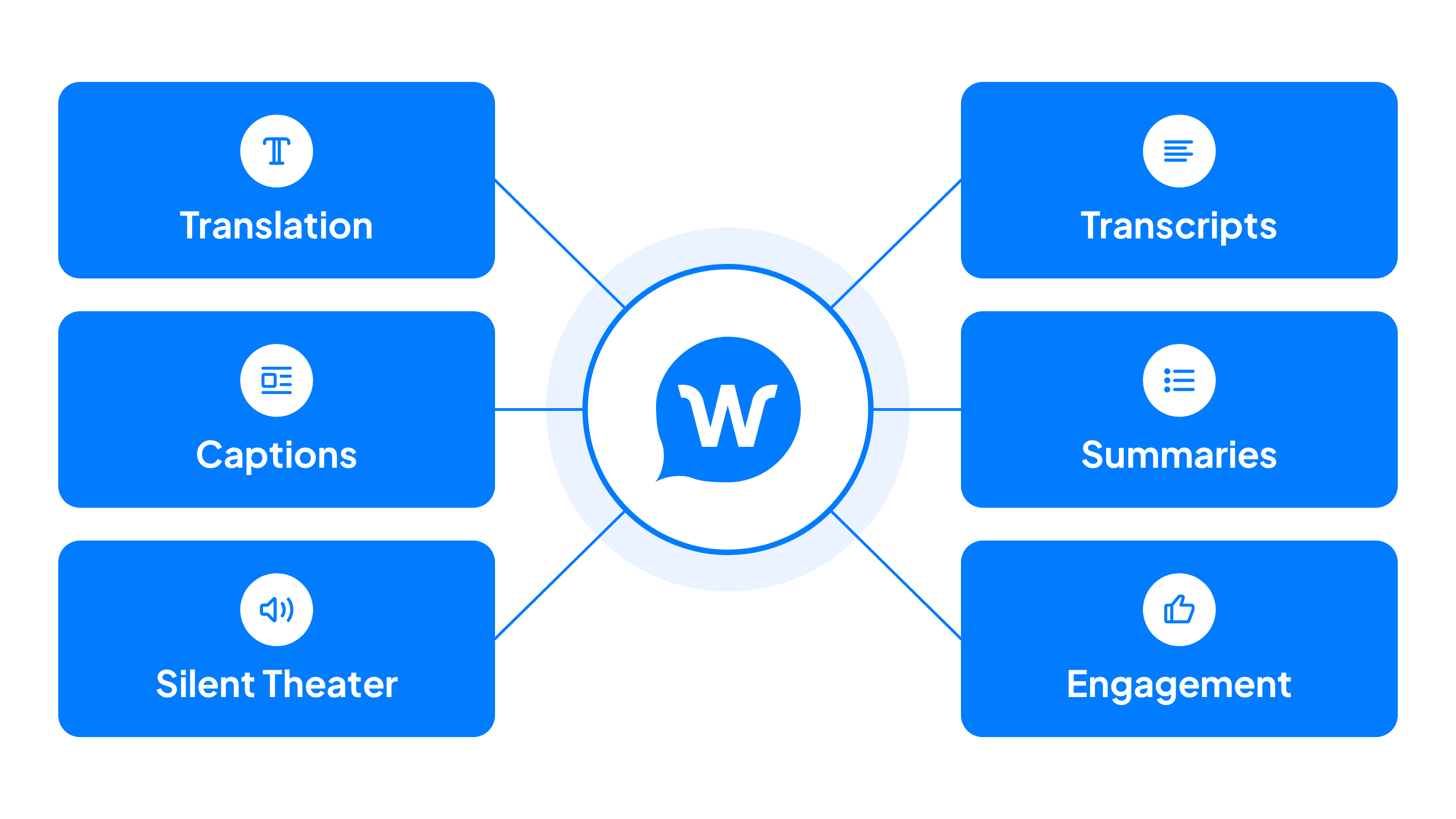
The Wordly platform has six integrated AI powered modules providing a comprehensive event management solution built to meet enterprise security, privacy, and collaboration standards. We make it easy and affordable to bridge the language gap and meet accessibility requirements.
.avif)
.avif)
One Comprehensive Platform Powering
Translation, Captions, Transcripts, & Summaries
Enterprise-ready: ISO 27001 | SOC 2 Type II | GDPR, HIPAA, CCPA, VPAT
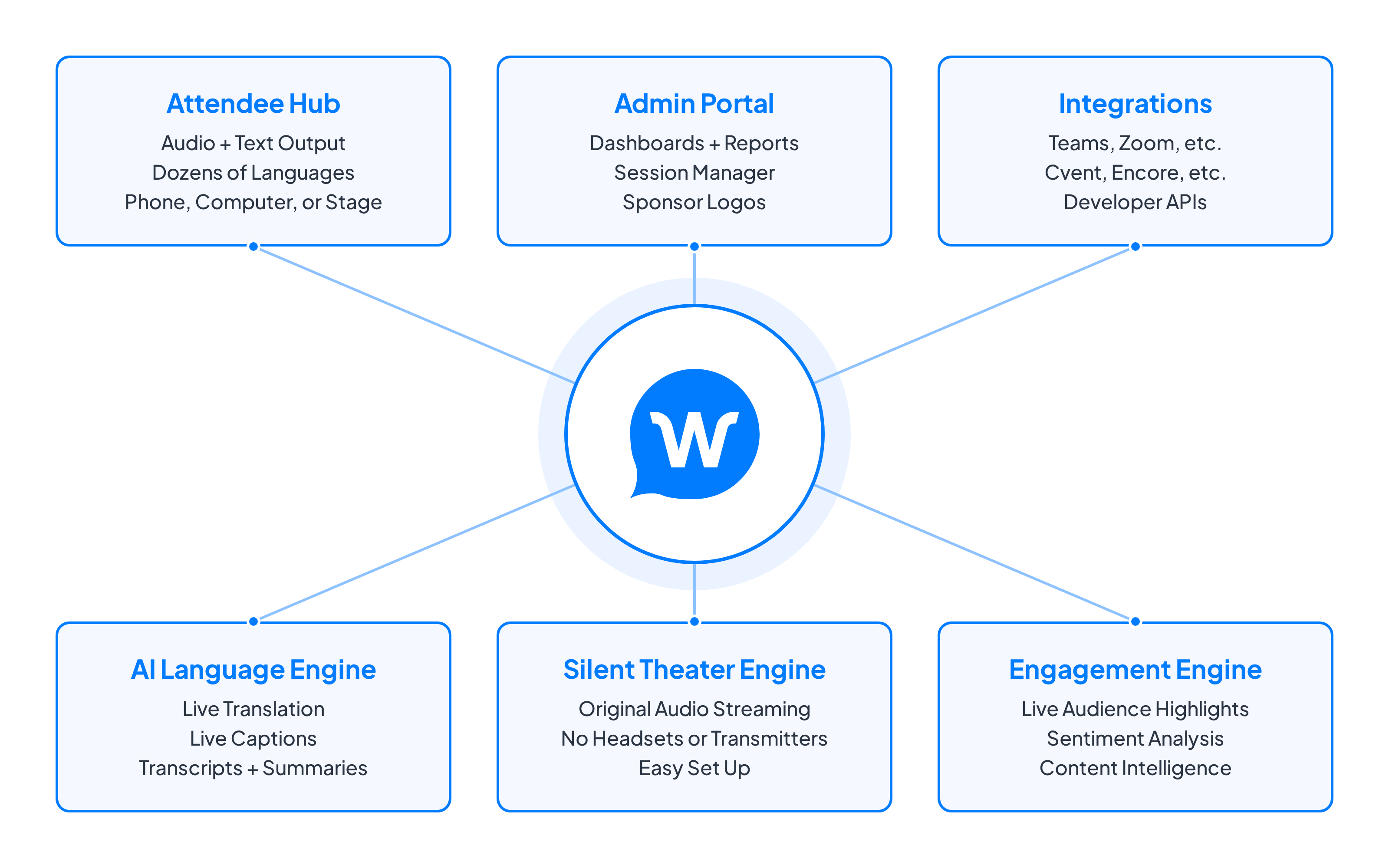
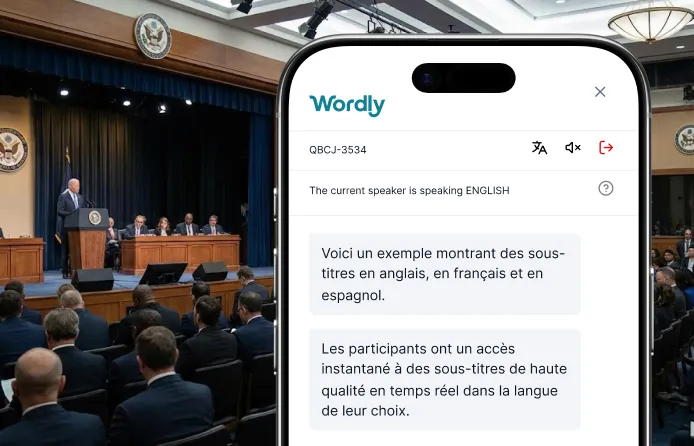
Attendee Hub: Attendees join a live session in seconds by scanning a QR code or opening a link, with no Wordly account needed. Each person can listen to audio or read captions in their preferred language, choosing from dozens of options on their phone or computer. Captions can also be shown on stage screens and room monitors. Attendees can also engage with the content during every session.
Admin Portal: Set up and manage every session from one central place. Schedule sessions, build custom glossaries, add Sponsor Logos to your caption feeds, and track usage and audience sentiment with dashboards and reports. After each session, access transcripts, summaries, and engagement metrics from the portal.
Integrations: Wordly works alongside the meeting, event, and AV platforms you already use, including Microsoft Teams, Zoom, Cvent, and Encore. Developer APIs let you build Wordly into your own apps and workflows.
AI Language Engine: Deliver real-time translation and captions in dozens of languages, so every attendee can follow along in their own language. The engine detects each speaker’s language automatically, making multilingual meetings and panels easy to run. After every session, it produces full transcripts and AI summaries you can translate and share.
Silent Theater Engine: Run sessions side by side without renting headsets or transmitters. Silent Theater streams each speaker’s original audio straight to attendees’ phones, so they can listen on their own earbuds. Setup is simple and works wherever noise is a problem, from breakout stages to busy expo floors.
Engagement Engine: Find out what resonates with your audience as it happens. With Audience Engagement, attendees react with emojis, highlight key moments, and save notes in the live caption stream. Organizers get real-time sentiment analysis and content intelligence showing which statements, topics, and quotes landed best.
Wordly Platform Features and Benefits
Wordly supports you before, during, and after your events.
Before The Event
Fast and Easy Set-up
Setting up a translation and caption session only takes a few minutes - and does not require any IT involvement. New customers are assigned a customer success manager to guide them through the onboarding and setup process - and provide recommendations for the optimal workflow to use for your specific use case. You also have access to extensive online documentation to help answer questions and provide step by step instructions.
Streamlined Scheduling
Wordly does not rely on human interpreters so you do not need to worry about scheduling translators for your event. You can turn Wordly on instantly.
Custom Glossaries
Customizable and reusable glossaries enable you to Boost, Block, and Replace phrases unique to your company and industry. Store thousands of phrases and share across your organization.
Sponsor Logos
Add a sponsor's logo to the translation and caption feeds your attendees are already reading, on the room display and every phone in the audience. Sponsor Logos is a simple way to turn a service you pay for into new sponsorship revenue. Line up a partner in advance to add a new source of event revenue, without changing anything about how your sessions run.
Flexible Pricing
Wordly provides real-time translation and subtitles into dozens of languages for one affordable price. It is a cloud based solution you purchase with an annual subscription, similar to an event platform. Unlike human interpreters, you don’t pay extra for every additional language you want to offer. Pricing is based on the number of hours and attendees who use Wordly. You can buy for an individual event, or purchase for ongoing use across your organization - easily saving 50% or more versus human interpreters.
During The Event
In-person, Virtual, and Hybrid Formats
Use Wordly live translation and captions for in-person, virtual, and hybrid events - including webinars.
On-Demand, 24/7 Access
Wordly uses AI to deliver real-time audio and caption translation without relying on human interpreters, so it's always available. Setting up a new event and inviting participants takes just a few minutes.
High Quality Translation
The translation and caption quality of Wordly is excellent and reflected by our large and growing customer base. We have millions of users - and thousands of global customers. We regularly test, benchmark, and optimize the audio and caption output to make sure the quality is excellent - and also have developed flexible user interfaces to ensure both the organizer setup and attendee experience is very easy to use.
Audio + Live Captioning
Attendees have the option of listening to live audio or reading live captions - providing a very flexible environment to support a wide range of participation options. Both the audio and caption outputs are available in dozens of languages.
Audience Engagement
Turn passive audiences into active participants with Audience Engagement, built right into the Wordly live translation and caption stream. Attendees can react with emojis pinned to specific sentences, highlight key moments, and save personal notes as speakers present. Organizers see audience sentiment and engagement in real time, without interrupting the speaker or adding any AV setup.
Silent Theater Audio Streaming
Run sessions side by side at your event without the cost and complexity of renting headphones and special equipment. Silent Theater (commonly known as Silent Disco, Floor Audio, or Silent Seminar) sends the speaker's voice directly to each listener instead of pushing it through the room's AV system, so it works wherever noise is a problem: breakout stages, lounges, and busy expo floors.
Push to Talk
If you are hosting multi-language meetings where participants are in the same room, it can be challenging to ensure the translation system knows which language is being used as the speakers change. With Push to Talk, everyone can be logged in as a speaker with their microphones automatically muted. As each person speaks, they press a button on their device keyboard to unmute their microphone while they are speaking. When they release the button another participant can begin speaking in their preferred language.
Automatic Language Selection
In order to maximize translation and caption quality, Wordly needs to know which language each speaker is using. Wordly automatically detects the speaker language in real time, and switches the input language when participants start speaking in a different language - making it easy to host multi-language meetings and events - including conference panel sessions.
Caption Bridge
Broadcast live CEA-608 closed captions in multiple languages at once by linking Caption Bridge to your CC encoder. Now every public meeting, service, or ceremony you stream is accessible in real-time without the logistics of booking traditional captioners or purchasing new hardware.
24/7 & On-site Support
Our support team is available by phone and email 24/7 - so no matter where or when your meetings and events happen, we are available to assist with any questions. You can also plan to have one or more of our expert customer success managers come on-site during your event to provide hands-on assistance if needed.
After The Event
Text Transcripts
Full session transcripts are available after every session. The meeting host decides who has access to the AI transcripts. These provide documentation which can help meet audit requirements or provide attendees with post event notes to reference. Instantly translate your transcripts into dozens of languages to support global accessibility. You can bulk export translated content into SRT/VTT files and use them to add captions and subtitles to your videos.
Voice Transcripts
Post-event AI dubbing for videos is easy. Generate downloadable audio file voice transcripts and import into your production system to add audio voiceovers to your post event videos.
Summaries
Capture and share key highlights from every meeting with AI summaries. Event organizers can focus on engaging in meetings while Wordly distills discussions into clear, concise takeaways which can easily be shared with attendees. Use for content creation, record keeping, and internal knowledge sharing.
Video Captions, Subtitles, and Dubbing
Extend every session into fully localized video. Bulk export translated transcripts into SRT/VTT files and use them to add captions and subtitles to your videos, and generate downloadable audio files to add dubbed voiceovers in dozens of languages. Turn a single event into accessible, multilingual content you can share and repurpose after the event.
Sentiment Analysis
Find out what resonated with your audience after every session. Sentiment Analysis, part of Audience Engagement, shows how attendees responded throughout each session and pinpoints the statements, topics, and quotes that drew the strongest reactions. Use these insights to measure session impact, report results to stakeholders, and plan stronger content for future events.
Infrastructure, Security, & Support
Enterprise-ready Technology
The Wordly platform is SaaS-based and runs in a secure, highly scalable cloud environment. Wordly has powered hundreds of millions of real-time translation and caption minutes and tens of thousands of on-demand translation sessions.
Extensive Platform Integrations
Wordly works with all major conference and video platforms, including Zoom, Microsoft Teams, Cvent, and many more.
No Special Hardware Requirements
Wordly does not require a sound booth or special headsets for attendees. Attendees can join with their personal mobile phone, tablet, or laptop.
Enterprise Security
The Wordly Trusted AI Translation Framework provides the easiest, most affordable, and most secure way to make meetings more language inclusive and accessible. The framework includes our SOC 2 Type 2 compliance, ISO 27001 certification, ongoing commitment to preventing customer data from being used to train speech recognition and translation models, and other optional security features.
Workspaces
Wordly Workspaces turn live translation and captions into a team-ready, enterprise-wide capability. Wordly Workspaces are designed for organizations scaling live AI translation and captions beyond one-off events. By decoupling sessions from individual owners, you empower teams to standardize terminology, share live session management, and collaborate on post-event assets.
Enterprise SSO Access
You can configure Wordly to work with your corporate single sign-on infrastructure for added security and convenience.
Comprehensive Support
Wordly is committed to ensuring customer success - from onboarding to pre-event, in-event, and post-event support. We provide personalized onboarding sessions led by an experienced Wordly support rep along with extensive online support guides. We can also provide remote and onsite event support to supplement your team.
Trusted by thousands of organizations worldwide





Wordly Customer Reviews
“Easy for our AV technicians to implement and easy to explain to delegates how to use. It was problem-free from day one to the last day. Wordly enabled us to market to a French audience, increasing our registrations, and solving accessibility.”

“Wordly is easy to use. Our staff did not need to spend a great deal of time setting it up. It was as close to plug and play as possible. The attendees were able to access the translation with minimal instructions.”
“It’s remarkably accurate, easy to deploy, and versatile. We can use it across small meetings or large events, and the experience for families is seamless. If your organization values inclusivity, Wordly is a game-changer.”
.avif)
Translation and Interpretation Options
There are three primary options for addressing the language barrier at meetings and events.
1. Do Nothing
The most common solution is to do nothing. While this is the cheapest and least time consuming option in the short term, there are significant long term costs when attendees are unable to understand meetings and do not attend or fully engage.
2. Use Human Translators
Human translators have been used for years and are a common option for meetings and events around the world. Human interpretation is a good option for large, complex events which are planned months in advance and supported by large budgets and teams to coordinate all of the logistics. But the time and cost of offering human interpretation often makes this option not viable for most organizations.
3. Use Live AI Translation and Captioning
A fast-growing option is AI translation. These tech solutions are powered by Artificial Intelligence (AI) and hosted in a secure cloud infrastructure, removing the need for human interpreters and special equipment. AI translation is being implemented across a wide range of government meetings.
Wordly offers interpreters for all of the top international languages.
How Wordly Works in 4 Easy Steps
Presenter
Presenter speaks in preferred language

AV System
Audio system connected to Wordly
Wordly
Real-time translation, captions, and engagement.
Attendees
Attendees read or listen in preferred language

.png)
Example of in-person setup. Contact us to see the setup for a virtual event.
Step 1
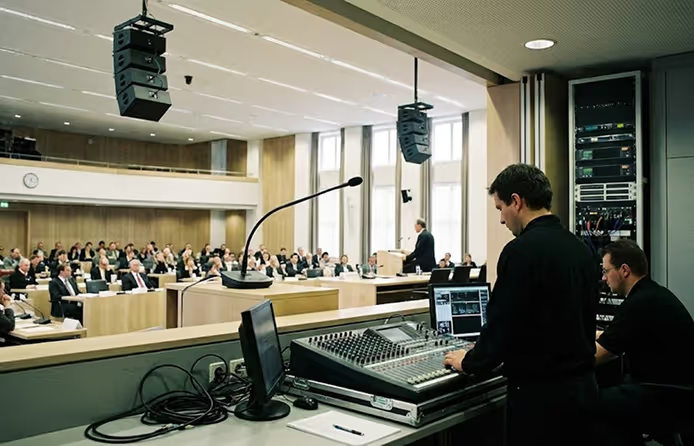
The audio mixer from the meeting room is connected to a tablet or laptop which is used to log into the AI translation and captioning system. This helps ensure the AI system receives high quality sound input.
Step 2
The presenter(s) speak in their preferred languages during the meetings. The AI-powered translation system can manage participants speaking in multiple languages.
Step 3
Wordly uses AI to transcribe and translate the spoken content into the preferred languages for each participant. The platform translates speech simultaneously into dozens of languages and the output is available in real time. Wordly understands different dialects and accents, so you can feel confident the translation and captions will be very accurate.
Step 4
Attendees can read along with captions or listen with their ear buds in their preferred language on their own computer or mobile device. Attendees access the translation and captions by scanning a QR code with their phone or visiting a URL from their computer.
Attendees can be either in person or attend virtually via Zoom, Teams, or another meeting platform. The captions can also be displayed in multiple languages on monitors positioned around the room so presenters and attendees can see them.
Wordly Packages
Wordly makes it easy to add live translation and captions to your meetings with a comprehensive solution that includes personalized support and training to get you up and running quickly.
Many organizations start with a Wordly Pro+ Package that includes 60 hours of live translation and captioning, which is enough to cover multiple meetings per month for one year. This can be used for staff meetings, employee training, customer events, and a wide range of other sessions. If you have more meetings per month, you can add additional hours to your package at any time. Since all Wordly languages are included for one fixed hourly price, you can easily manage your budget.
All Translation packages include:
Live AI Translation & Captioning - You get live translation of your meetings into both audio and text output - attendees can choose whether they want to listen and / or read.
Extensive Language Options - Each attendee can select their preferred language from dozens of options which come standard with every Wordly subscription. Since Wordly provides multi-directional translation, we can support thousands of language pairs (e.g., English to Spanish, Spanish to Vietnamese, French to Spanish, etc.). You can conduct meetings in English, Spanish, or dozens of other Wordly supported languages. See all language interpretation options.
Customizable Glossaries - You can create a customized glossary of names and other important terminology unique to your organization that you want to make sure are translated correctly.
Flexible Delivery Formats - You can offer Wordly both for in-person and virtual attendees via Zoom, Teams, or other video platforms. There is no additional charge for using multiple formats to support hybrid meetings.
Personalized Onboarding - We will assign a Customer Success team member to guide you through the onboarding process. This includes account setup, admin training, integration assistance, translation glossary creation, dress rehearsal tests, presenter coaching, and technical support.
Easy Setup - Once you are onboarded, it will take less than 10 minutes to set up Wordly for your meetings.
Easy Access - Attendees can access Wordly in 2 easy steps. For in person events, they scan a QR code with their mobile phone, select their language, and then have instant access to live audio and caption output. For virtual events, they click a link on their computer, select their language, and then have instant access to live audio and text output.
Display Options - You can also choose to have the captions displayed on monitors at your location so people can follow along without using their phones.
Transcripts and Summaries - Access complete transcripts and short summaries after every session. Translate into dozens of languages to support reporting requirements.
No Special Equipment - Since Wordly is powered by AI, there is no special equipment required.
Affordable Pricing - Pricing is based on the number of hours you purchase. and we offer volume discounts. You get audio and caption output for all Wordly languages, along with text transcripts, and summaries for one fixed price. Since Wordly is powered by AI, you do not need to hire individual interpreters for each language. You can save 50-90% versus the cost of using human translators.
Check out these Wordly resources.
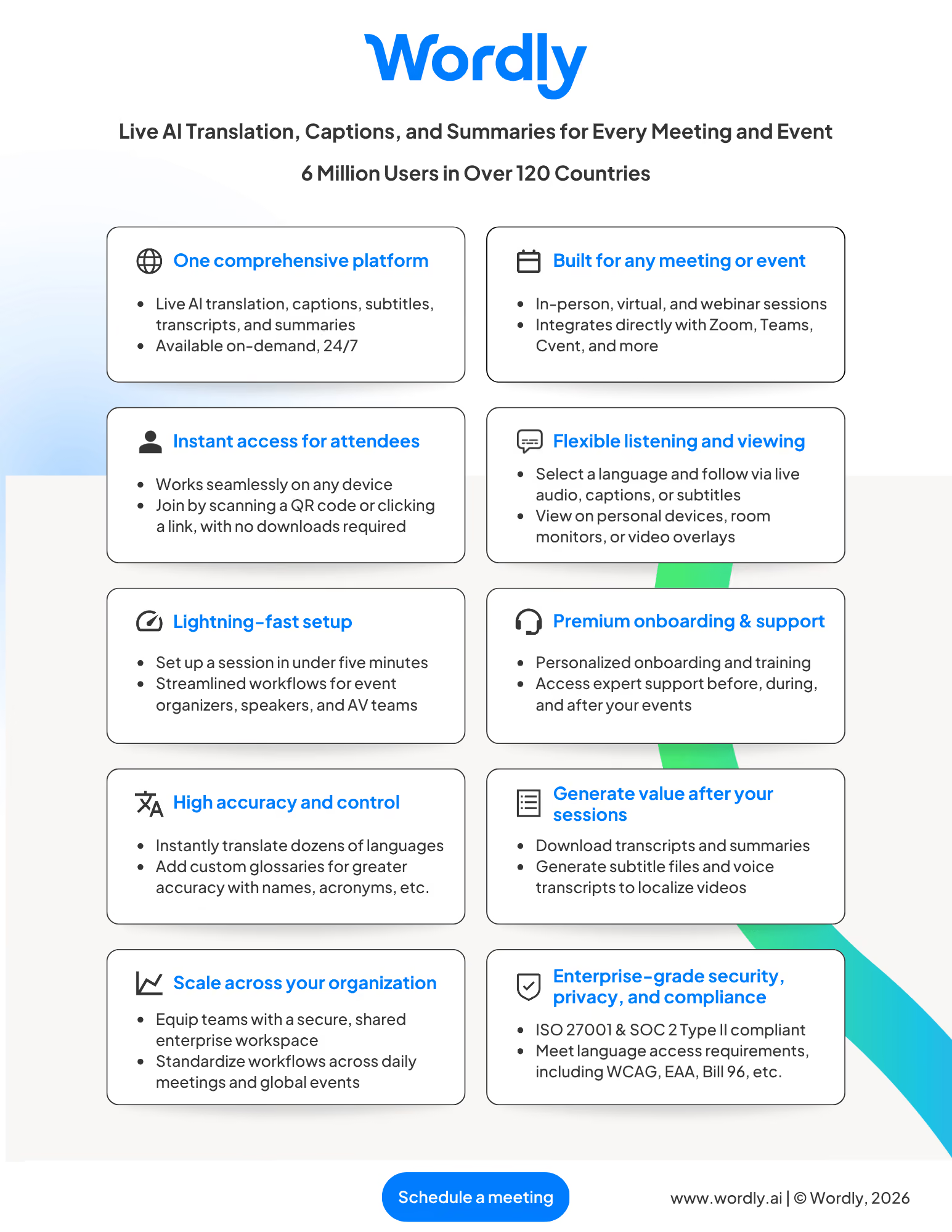
More Resources - For additional AI translation and captioning resources, visit All Resources.
Wordly Translation & Captions at a Glance
Wordly Translation Features
Wordly offers a range of features enabling you to deliver live translation for all of your events.
One key feature is:
No special hardware requirements
Wordly does not require a sound booth or special headsets. Attendees join with their personal mobile phone, tablet, or laptop.
See all Platform features.
Wordly Translation FAQs
Wordly provides a range of personalized assistance to get you up and running quickly.
One frequent question is:
Can Wordly provide onsite support?
Wordly offers remote and onsite support before and during events to get you up and running quickly.
See more frequent questions.
Wordly Customer Quotes
Customers love Wordly for our fast set up, ease of use, extensive features, and affordable pricing.
One happy customer said:
“Beyond the affordability of Wordly, I'd say the ease of use for participants and organizers alike is what I appreciated most.”
See more Customer quotes.
.png)
.png)
%20(1)%201.webp)
Ready to learn more about Wordly?
.png)
.avif)
