5 Tips to Increase Translation & Caption Quality
.avif)
.avif)
When you offer live translation services at a meeting or event, translation quality determines whether multilingual attendees can actually follow along, engage, and take value from the content. Poor translation quality leads to disengaged attendees, incomplete understanding, and missed business outcomes. High translation quality does the opposite: it delivers the same experience to every attendee, regardless of their preferred language.
There are multiple factors that shape translation quality, including audio input, language coverage, output flexibility, terminology accuracy, and the user experience for both organizers and attendees. Wordly has invested deeply in each of these areas across many years of building AI-powered live translation and captioning.
Since 2017, Wordly has delivered more than 1 billion minutes of live translation to more than 6 million users across 5,000+ customers, with continuous machine learning improvement from every session. This scale of real-world usage is directly what enables translation quality: each session helps improve the underlying speech recognition, neural machine translation, and text-to-speech models that power the Wordly platform.
Based on that experience, here are 5 tips to increase translation quality at your next meeting or event.
Tip 1: Ensure High Quality Audio Input
Presenters must be heard clearly by the AI interpreter or translation app. If they can't be heard clearly, they can't be translated clearly. This is the single biggest lever for translation quality that organizers control.
Best practices for audio input:
- Presenters should wear mics for in-person events, or use dedicated headsets with microphones for virtual meetings, to ensure close mic proximity at all times
- Avoid integrated laptop microphones as they capture too much background noise and pick up ambient conversation, ventilation, and typing
- Set microphone levels high enough that the AI can clearly distinguish speech from background noise
- Avoid overlapping speech – the AI translates one speaker at a time, so encourage presenters not to talk over each other or over background music
- Enunciate clearly and speak at a moderate pace with brief pauses between sentences
Wordly's speech recognition is trained on millions of hours of real-world audio across accents, dialects, speaking speeds, industry vocabulary, and imperfect acoustic environments. It performs well in the messy conditions where real events happen: conference halls with reverb, virtual meetings with variable audio quality, sanctuaries with distant speakers, and classrooms with multiple voices.
Tip 2: Provide Extensive Language Options
To ensure every attendee can participate in their preferred language, conduct a language preference survey in advance. Event planners often underestimate the range of languages their audience speaks. Attendees who are conversational in English may still learn and engage more deeply in their native language.
Wordly supports translation into dozens of languages across thousands of language pairs, with new languages added regularly. This includes the most-requested languages across international events (Spanish, Portuguese, Mandarin, French, German, Japanese, Korean, Arabic, Russian, Turkish) plus support for less commonly-served languages that human interpretation typically can't cover economically (Haitian Creole, Swahili, Vietnamese, Tagalog, and many more).
Where a single human interpreter can only translate one language at a time, Wordly delivers all supported languages simultaneously from a single source. For a full list of currently supported languages, see Wordly's language interpretation options.
Tip 3: Offer Audio and Captions
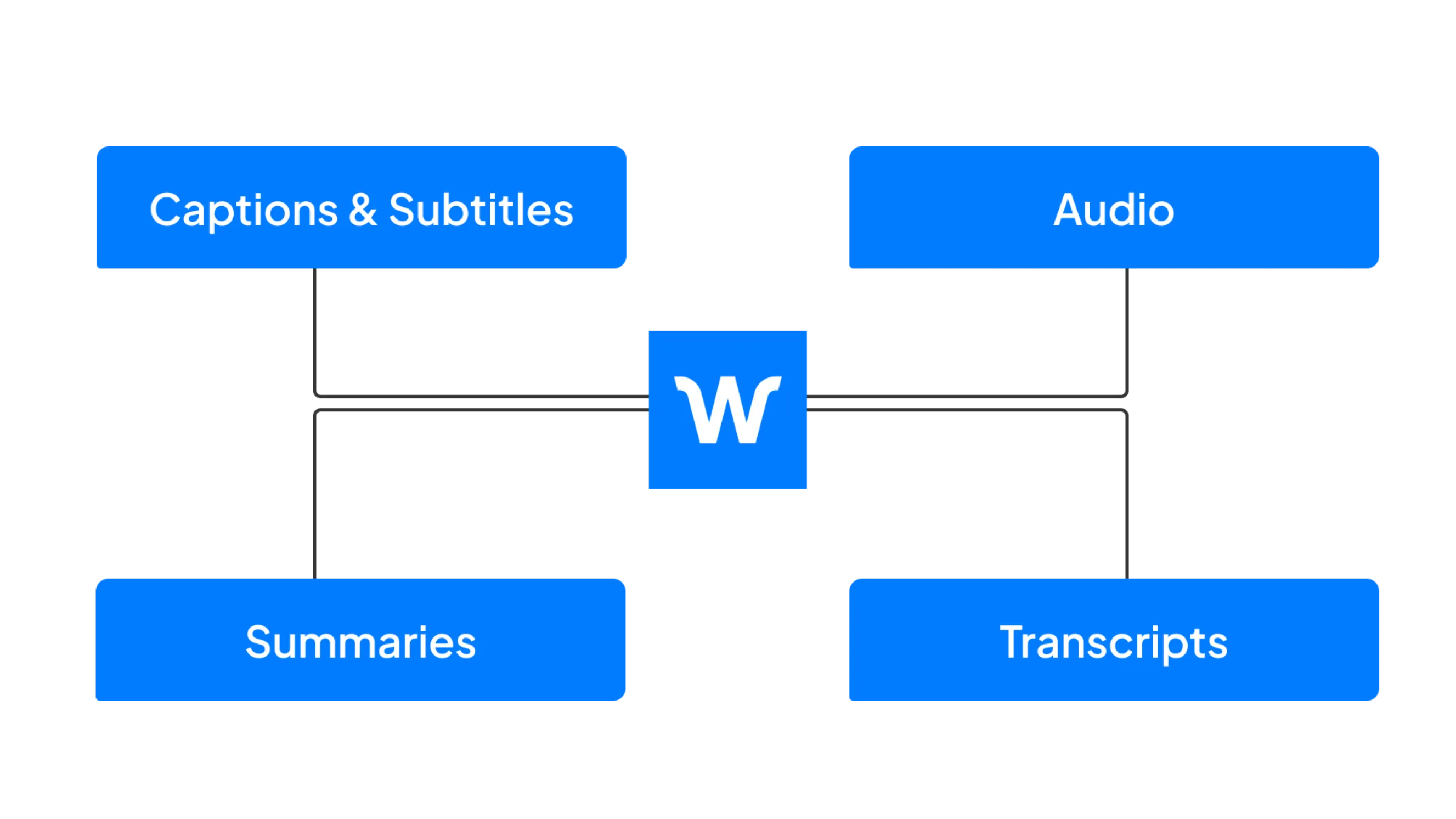
Your attendees prefer different translation formats. Some like to listen, some like to read along, and some like both. Some may need translated audio during a session and translated captions for later review. To deliver the best experience across all preferences, offer multiple output formats simultaneously.
Wordly supports multiple output formats from a single source:
- Live captions display translated text on attendee devices in real time, similar to subtitles
- Audio translation delivers spoken translations through natural-sounding text-to-speech, with multiple voice options per language
- Combined mode delivers both captions and audio simultaneously, letting attendees choose how to follow along
- Voice Transcripts save the full translated session as downloadable audio files in dozens of languages for post-event distribution, podcasts, video dubbing, or archived records
- Text transcripts save the full translated session for review, sharing, compliance documentation, or reference
According to our 2026 State of AI Translation Report, 97% of event professionals now want access to transcripts, summaries, and dubbing alongside live translation. Offering multiple output formats from one source is no longer a nice-to-have, it's what your audience expects.
Tip 4: Use Customizable Translation Glossaries
Most organizations have industry terms and brand names that are challenging for general-purpose translation. This is particularly important for healthcare, technology, financial services, government, and religious contexts, where standard vocabulary doesn't cover the specialized language used in real content.
Wordly customizable glossaries give organizations three tools for improving translation accuracy on specialized terms:
- Boost trains the AI to recognize difficult terms including names of people, products, and organizations, plus industry-specific vocabulary that might otherwise be missed
- Block prevents the AI from translating specific terms that are inappropriate for your audience, including slang, profanity, or contextually sensitive language
- Replace trains the AI to substitute one term for another. For example, if your company name "Boyle" gets mis-translated as "Boil," Replace ensures the AI outputs "Boyle" every time. This works across any language pair
Glossaries are the single highest-leverage tool for improving translation accuracy on specialized content. A well-built AI glossary can transform translation output for medical, legal, technical, and religious content in ways that human interpretation cannot match.
Tip 5: Make the User Experience Easy
Translation quality is not just about accuracy. It's also about whether organizers can set up translation easily and whether attendees can actually access it without friction. High-quality translation that no one uses is worse than adequate translation that's easy to access.
Wordly is designed for effortless deployment:
For organizers:
- Set up a session in the Wordly Portal in minutes
- Connect a microphone (or use direct audio from Zoom, Teams, Cvent, and other integrated platforms)
- Share a QR code or link with attendees
- Start the session and translation begins immediately
For attendees:
- Scan the QR code or click the shared link on any device
- Select their preferred language
- Follow along with live captions, translated audio, or both
- No app download required
- No account creation required
- No personal information collected
Wordly Quality
Wordly has been committed to delivering industry leading quality since founded in 2017. Learn how we consistently deliver the highest translation, interpretation, and caption quality at Wordly Quality.
Our quality methodology includes:
- Multi-Engine Benchmarking & Context Awareness
- Extensive Language Testing
- Custom Glossaries for Specialized Terminology
- Ultra-Low Latency (Under 1 Second)
- Consistent, High Fidelity Output
- Enterprise-Ready Security & Technology Infrastructure
- Superior Ease of Use and Customer Support
To see Wordly translation, interpretation, and caption quality in action, book a demo. You will be able to test it live during the call.


.png)
