Live Translation for Events: A Guide for Conference Planners
.avif)
.avif)
Live translation for events lets attendees follow keynotes, panels, and breakout sessions in their preferred language while the speaker is talking. Event planners typically use human interpreters or live AI translation, which delivers real-time translated captions and audio to attendees’ own devices. Wordly has powered events including Dreamforce, IMEX, PCMA Convening Leaders, GBTA Convention, ASAE, and MPI WEC, delivering more than 1 Billion hours of translation and captions for thousands of organizations in 120+ countries worldwide.
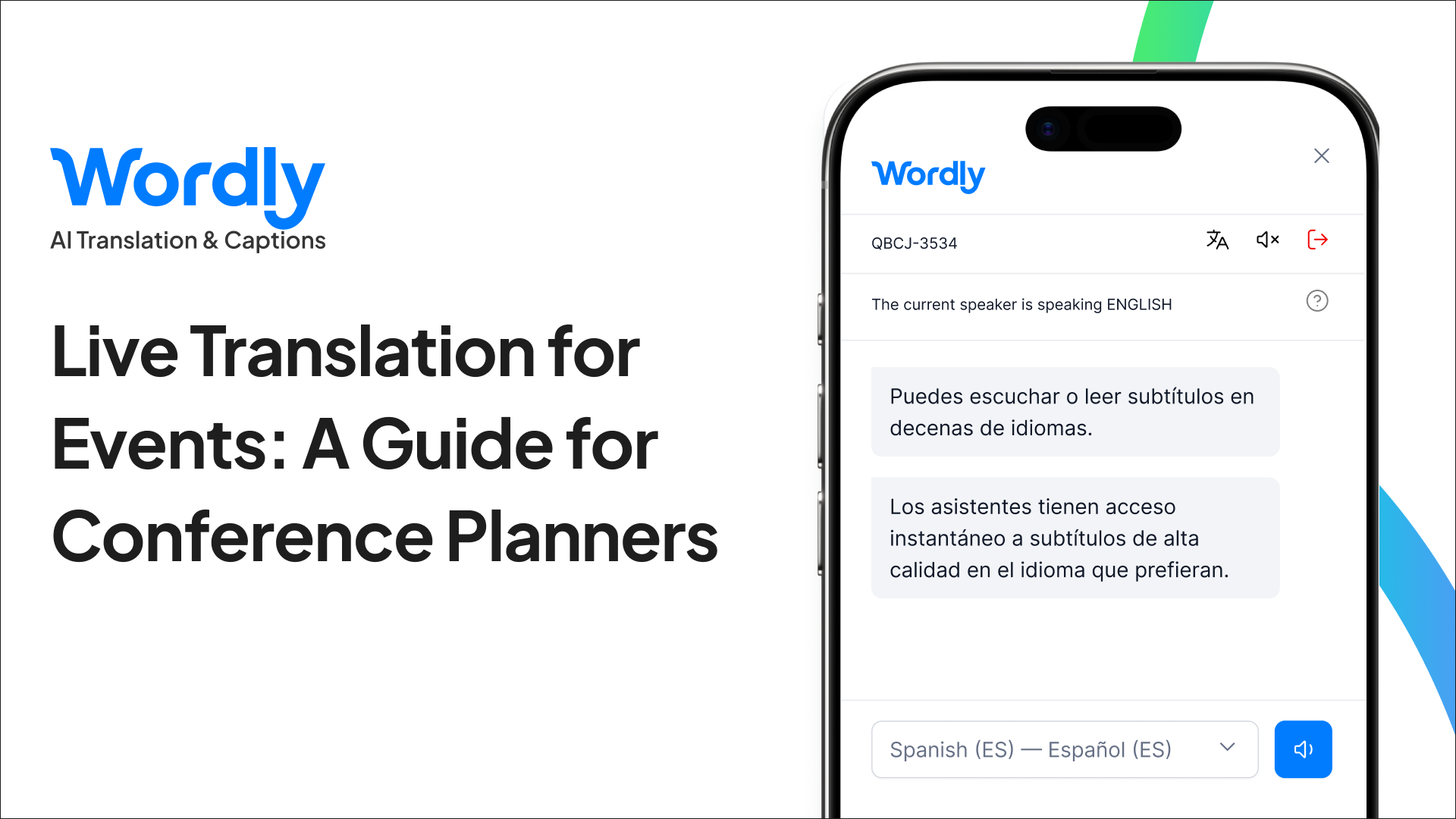
Your attendees are coming from more places than ever, and many of them will sit through keynotes and breakouts in a language that isn’t their first. Live translation for events closes that gap, giving every attendee a way to follow the content and join the conversation.
This guide covers how live translation works, the options organizers have, and how to plan it for your next conference, with examples from events where Wordly has delivered live AI translation and captions.
What is Live Translation for Events?
Live translation for events converts a speaker’s words into other languages in real time, so attendees can listen to translated audio or read captions while the session is happening. It works for keynotes, panels, and breakouts at in-person, virtual, and hybrid events.
Many event planners pair it with live captioning, which shows the speaker’s words as text in the original language. Captions support attendees who are deaf or hard of hearing, attendees in loud rooms, and anyone who prefers to read along.
Why Do Event Planners Offer Live Translation?
Audiences are global, and your attendees will use language support when it’s available.
IMEX Frankfurt draws event professionals from more than 160 countries. The ANOC General Assembly brings together delegates from across the Olympic Movement for its largest gathering outside the Games. Events like these can’t assume a single shared language, and the same is increasingly true for industry conferences in the US.
When organizers offer live translation, attendees put it to work. At GBTA Convention 2025, more than 660 people used Wordly in 15 languages. At PCMA EduCon 2025, more than 500 users followed sessions in 12 languages, and at the PCMA CEMA Summit 2025, more than 340 users accessed content in 11 languages.
Live translation also supports broader goals many event planners already have: accessibility, inclusion, attendee engagement, and growing international attendance.
What Are the Options for Live Translation at a Conference?
Traditional interpretation uses human interpreters, usually working from booths, with attendees listening through headsets. Because each room and language needs its own interpreter team, organizers often limit interpretation to a few sessions and languages.
Live AI translation uses software to translate speech in real time into captions and audio across many languages at once. Since attendees use their own devices and no booths are required, it can scale to every room on the agenda, including breakouts that interpretation budgets usually leave out.
Calculate how much you can save by using Wordly.
How Does Live AI Translation Work at an Event?
With Wordly, live translation fits into the event’s existing audio setup and the devices attendees already carry.
- Wordly connects to the session audio, either from the room’s sound system or the virtual event platform.
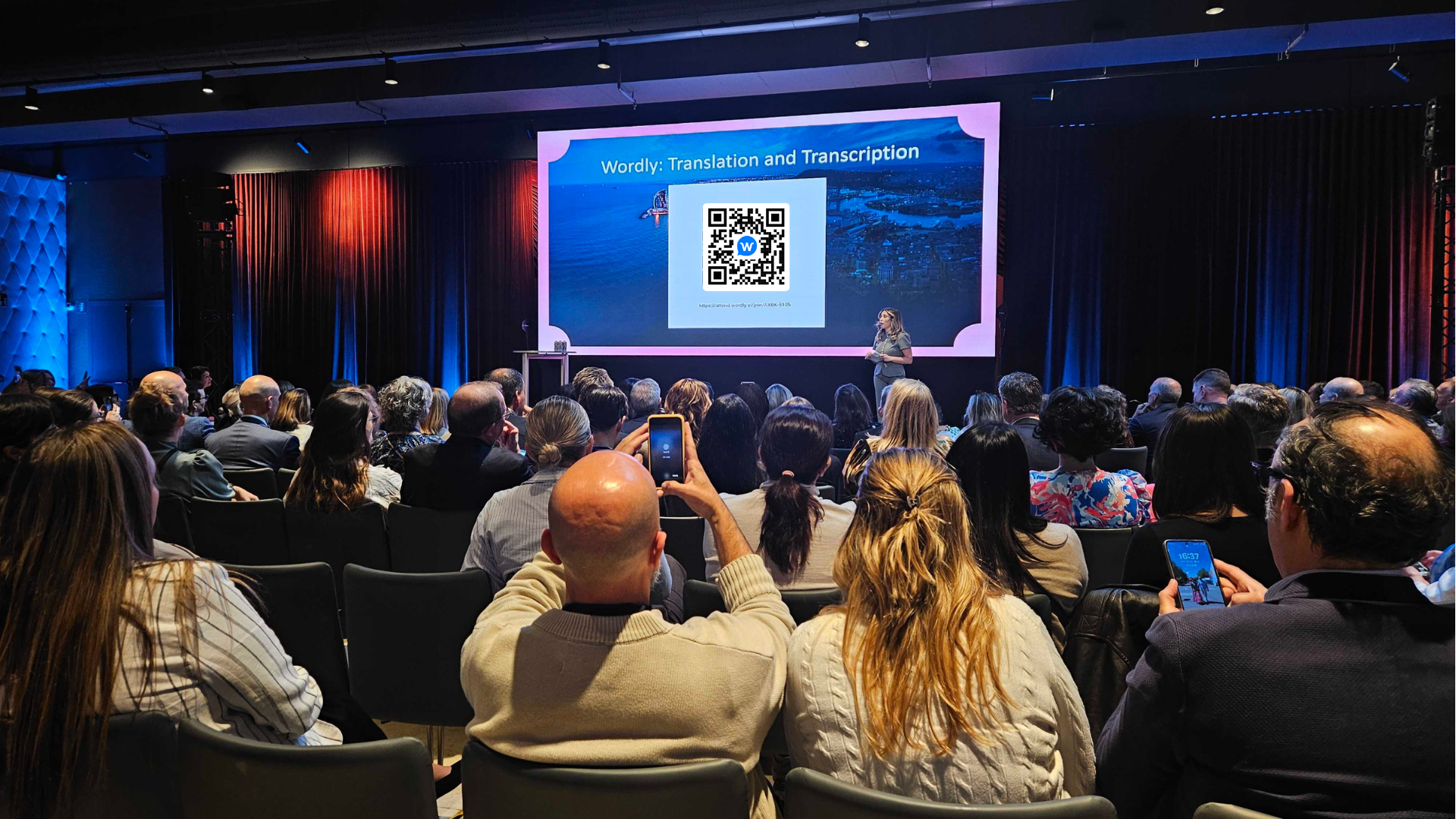
- Attendees scan a QR code shown on screen or on a sign in the room.
- Each attendee picks a language in the Wordly app or through a web link on their phone, tablet, or laptop.
- Attendees listen or read, choosing translated audio, live captions, or both.
Event planners have made this simple for attendees in a few ways. At MPI Smart Monday 2024 in Las Vegas, signage in session rooms walked attendees through getting started in three steps. At MPI WEC 2024 in Louisville, general session screens displayed a QR code for the translation service. At IMEX Frankfurt 2025, QR code signs at each stage let attendees join in seconds. At Dreamforce 2024, captions ran alongside presentations in session theaters.
Can Live Translation Scale to Large Conferences?
Yes. Live AI translation runs in every room at once, so coverage doesn’t stop at the main stage. That matters most at large global conferences, where much of the value lives in breakout sessions happening at the same time across the venue.
Dreamforce shows what that looks like at full scale. At Salesforce’s 2024 conference in San Francisco, Wordly provided live translation and captions across more than 600 sessions, adding up to over 300 hours of content for an audience of more than 45,000 attendees.
Most conferences aren’t Dreamforce’s size, but many still run multiple tracks over several days. At the 2024 ASAE Annual Meeting in Cleveland, Wordly covered more than 100 sessions across three days of learning and networking for association professionals. When every session has language support, attendees can choose what to attend based on what they want to learn, not which rooms happen to offer translation.
See how a Fortune 100 company used Wordly to deliver live AI translation and captions, real-time transcripts, and session summaries for thousands of attendees.
Does Live Translation Work for In-Person, Virtual, and Hybrid Events
Yes. Wordly supports in-person, virtual, and hybrid events, along with webinars and video.
MPI WEC 2024 brought together in-person and virtual participants from across the meetings industry, and Wordly served both audiences. At Cvent CONNECT Europe 2024, captions appeared in a panel beside the session stream, so virtual attendees could watch the speaker and read along in their chosen language in the same view.
How Do You Plan Live Translation for Your Event?
A smooth rollout comes down to a few decisions made before doors open.
- Decide which sessions to cover - With AI translation, you can cover every room rather than choosing a handful of general sessions.
- Plan for your audience’s languages - Registration data is a good starting point, but attendees choose their own language, so expect more variety than you might plan for.
- Build a custom glossary - Add speaker names, sponsor and brand names, acronyms, and industry terms so they appear correctly in captions and translations.
- Configure audio in each room - Every session needs a clean audio feed connected to Wordly.
- Make access obvious - Put QR codes on screens, stage signage, and room signs, and mention live translation in opening remarks.
- Test and staff live support - Test each room ahead of time and have support on hand throughout the event.
Wordly handles pre-event setup, custom glossary creation, on-site configuration, testing, and live support, the same service model used at Dreamforce, IMEX, PCMA Convening Leaders, and GBTA Convention.
Explore our Communication Kit for more information on planning a successful event.
Which Events Use Wordly for Live Translation?
Some of the strongest proof comes from the event industry itself. The organizations that train and convene event professionals have used Wordly at their own flagship conferences, including IMEX Frankfurt, PCMA Convening Leaders, and MPI’s World Education Congress. IMEX and PCMA Convening Leaders both brought Wordly back for a second year, and IMEX Frankfurt draws professionals from more than 160 countries.
Wordly supports events well beyond the meetings industry, too. GBTA Convention, the world’s largest conference for business travel professionals, used Wordly in 2025 to give attendees access to sessions in 15 languages. At the 2024 ANOC General Assembly in Portugal, delegates from across the Olympic Movement followed proceedings in their own languages.
Across the events mentioned in this guide, Wordly has delivered more than 1,350 hours of live translation and captions in over 1,200 sessions, reaching more than 100,000 attendees.
Frequently Asked Questions
How does live translation work at events?
Live translation at events captures a speaker’s audio and translates it in real time into other languages. With Wordly, attendees scan a QR code, choose their language in the Wordly app or through a web link, and then listen to translated audio or read live captions on their own device.
Do attendees need special equipment for live translation?
No special hardware is needed. Attendees use their own phone, tablet, or laptop with the Wordly app or a web link, and can listen with their own earbuds or read captions on screen. Event planners can also display captions on screens in session rooms.
How many languages can live translation support at an event?
Wordly supports dozens of languages for live translation and captions, and each attendee chooses their own. At GBTA Convention 2025, attendees used Wordly in 15 languages, and at PCMA EduCon 2025, attendees used it in 12 languages.
Can live translation work for in-person, virtual, and hybrid events?
Yes. Wordly works for in-person, virtual, and hybrid events, as well as webinars and video. At MPI WEC 2024, Wordly served both in-person and virtual participants, and at Cvent CONNECT Europe 2024, live captions appeared alongside the session stream.
Can live translation scale to conferences with hundreds of sessions?
Yes. At Dreamforce 2024, Wordly delivered more than 300 hours of live translation and captioning across 600+ sessions for an audience of over 45,000 attendees. Wordly has also covered 100+ sessions at events including GBTA Convention, PCMA Convening Leaders, PCMA EduCon, and ASAE.
Make Your Next Event Multilingual with Wordly
Wordly gives conference planners live AI translation and captions for every keynote and breakout, with pre-event setup, custom glossaries, testing, and live support from the Wordly team. Book a demo to see Wordly in action and get a plan for your next event.


.png)
