Wordly Translation App Update: New Ways to Join, Follow, and Organize Every Session
.avif)
.avif)
Table of Contents:
- Faster Ways to Join a Session
- New Tools for Following the Conversation
- New Tools for Presenters
- A Fresh New Look
- Benefits of the Latest Updates by Industry
- Download the Wordly Translation App
- Frequently Asked Questions
- See the Wordly Translation App in Action
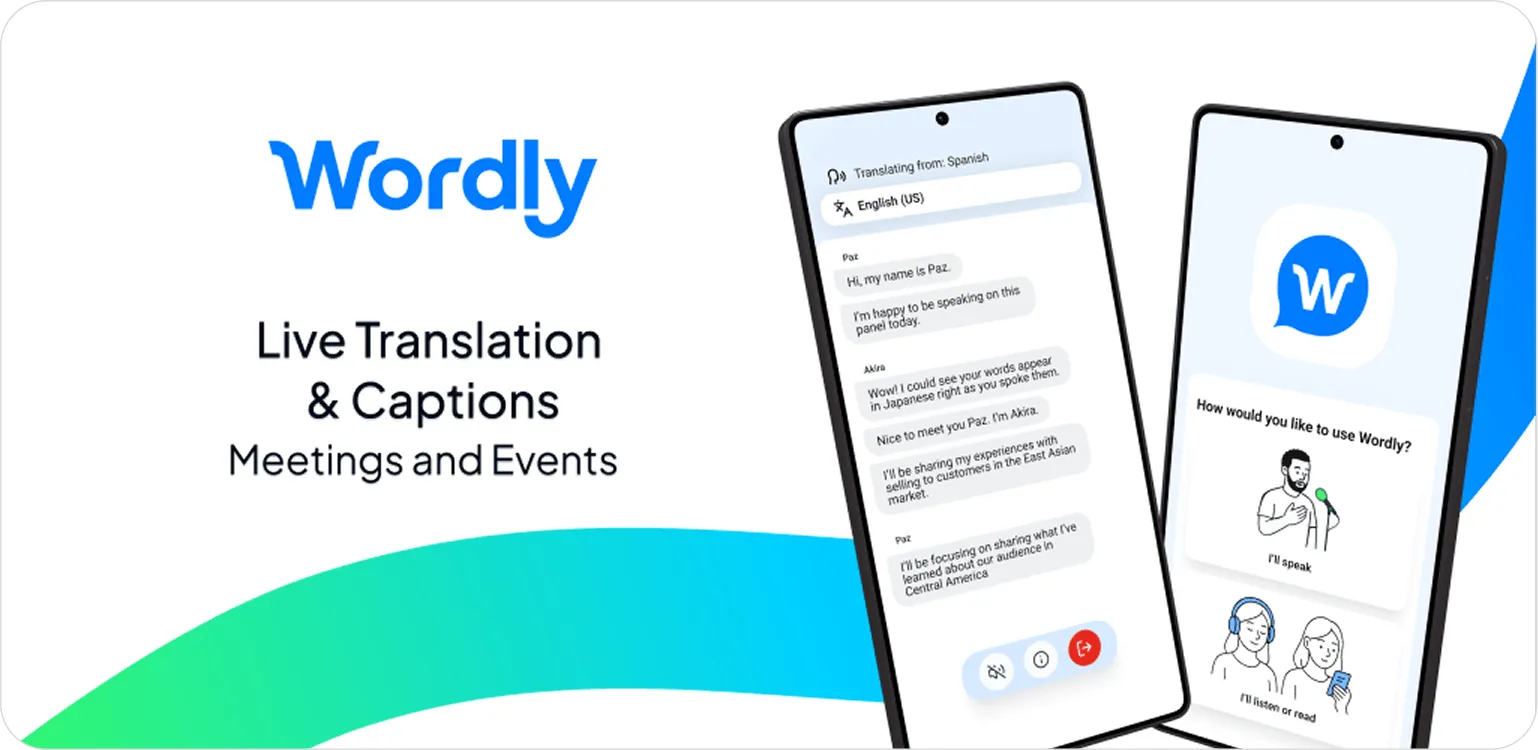
The Wordly Translation App recently rolled out a set of updates focused on joining sessions faster, following live conversations more easily, and organizing post-event content. The update adds deep link and QR code session join, automatic speaker change indicators, live transcript splitting for presenters, and a refreshed visual design. For a complete look at the full Wordly Translation App feature set, see our Translation App overview.
The Wordly Translation App already gives attendees and presenters a powerful way to participate in live meetings and events from their iOS and Android devices, with features like background audio, battery-saving mode, push-to-talk, and instant language search. This update adds a new layer: it's even easier to get into a session, follow along during the conversation, and stay organized after the event wraps.
Here's what's new.
Faster Ways to Join a Session
Getting into a Wordly session on your phone should take seconds, not steps. With the latest update, it does.
Deep Link Support
Tap a link shared by your organizer and you're in. The app opens directly to your session with no need to launch it separately, find the right screen, or type in a Session ID. It's the fastest way to connect from your phone.
QR Code Join
See a QR code on a screen, in a program, or on a sign at the door? Scan it and you're listening. This is especially useful at conferences and events where attendees are moving between sessions and need to get connected quickly.
New Tools for Following the Conversation
Live events are dynamic. Speakers change, topics shift, and it's not always obvious who's talking. The latest app update helps attendees keep up.
Speaker Change Indicators
The app now recognizes when a different speaker begins and signals the change automatically. Whether you're in a panel discussion, a town hall, or a multi-presenter meeting, you'll always know when the conversation shifts.
New Tools for Presenters
For presenters and event organizers, the Translation App now includes a feature that makes post-event content far easier to manage.
Transcript Splitting
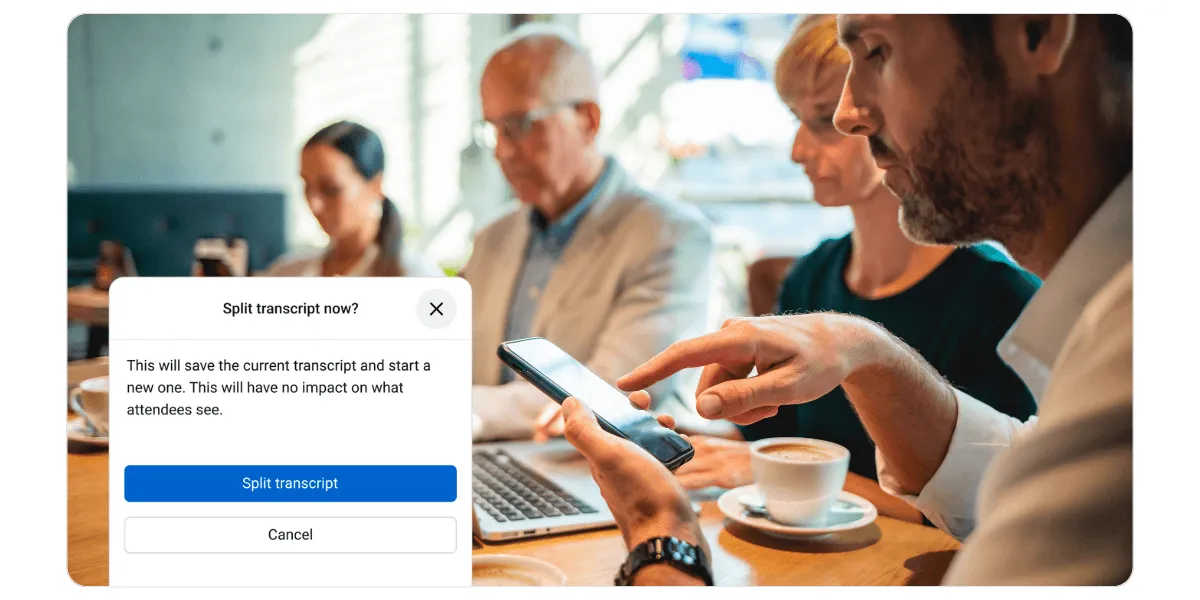
Presenters and admins can now split the transcript during a live session, creating clear breaks between speakers, topics, or sessions. This means every meeting, panel, or breakout comes out as its own organized record, making it easier to create caption and subtitle files, dub videos, and share session summaries after the event.
A Fresh New Look
The app features Wordly's updated logo and visual design. A cleaner, more modern experience that reflects where Wordly is today.
How do the latest Wordly Translation App updates benefit different industries?
These updates solve real-world problems across every sector where Wordly is used.
Conferences and Events
A QR code at the door gets attendees into the right session in seconds. No credentials to type, no navigation to figure out between back-to-back talks. Captions and translated audio keep running even when attendees switch apps or put their phone away.
Education
With transcript splitting, admins can create a clean, separate record for every parent-teacher conference, counseling session, or orientation meeting. Push-to-Talk and deep links make it easy to start a two-way conversation anywhere on campus.
Corporate and Learning & Development
For smaller meetings and 1:1s, the app signals each speaker change so the conversation is always easy to follow. When a full day of sessions wraps, admins can split the transcript so everything comes out organized, not buried in one long document.
Houses of Worship
Members can join a service instantly by scanning a QR code printed in the bulletin or displayed at the entrance. No need to type a Session ID while finding a seat.
Government
Citizens can join a town hall or public hearing by tapping a shared link or scanning a QR code on their way in, removing every technical barrier before they even sit down. Speaker change indicators keep captions clean and easy to follow across multiple officials.
Download the Wordly Translation App
Accessing these new features is simple and requires no additional cost for current customers.
For Attendees: Simply download the Wordly Translation App from the App Store or Google Play. Enter the Session ID provided by the organizer, select your language, and start listening. No account creation is required.
For Speakers: Download the app and enter the Session ID along with the secure passcode provided to you. This will grant immediate access to speaker-specific features like push-to-talk.
Whether you choose the Translation App or our browser-based web app, Wordly provides the flexibility you need to make every event inclusive and accessible. Plus, every session also generates text transcripts, voice transcripts, and summaries in dozens of languages.
Frequently Asked Questions About Translation App
How do I join a session using a link or QR code?
Tap the link shared by your event organizer, or scan the QR code displayed at the venue. The app will open directly to your session.
Do I still need a Session ID?
You can still join with a Session ID if you prefer, but deep links and QR codes are now the fastest option.
What are speaker change indicators?
The app automatically detects when a new speaker begins and displays a visual indicator, so you always know when the conversation shifts.
Can presenters split transcripts after the session ends?
Transcript splitting happens during the live session. Presenters or admins mark the breaks in real time, so the records are already organized when the event wraps.
Is the app still free to download?
Yes. The app is free on both the Apple App Store and Google Play Store.
See Wordly Translation App in Action
Ready to see how deep links, QR codes, speaker indicators, and transcript splitting work in practice? Schedule a quick demo to see the latest features in action.
Recent Wordly Updates
Wordly Translation App: Features and Capabilities
The complete overview of the Wordly Translation App, covering everything from background audio and push-to-talk to deep link join, QR codes, speaker change indicators, and live transcript splitting. The canonical guide for attendees, speakers, and event organizers. See the full Translation App overview.
Wordly Workspaces: The Command Center for Enterprise Translation Management
For organizations deploying the Wordly Translation App across multiple teams, departments, or events, Wordly Workspaces provides a secure, shared environment to manage translation, captions, summaries, and content with shared session ownership, glossaries, and SSO support. Learn about Workspaces.


.png)
