How to Make Meetings and Events Accessible in Multiple Languages
.avif)
.avif)
To make a meeting or event accessible in multiple languages, use AI-powered live translation and captions that cover the entire event. That means real-time captions and subtitles on screen during in-person sessions, translated audio and live captions inside virtual meetings, and shareable summaries and transcripts afterward, all in dozens of languages at once. It’s faster to set up than human interpreters, simpler to scale across multiple sessions, and most enterprise event leaders now rate it higher in quality.
That last point marks a real shift. Here is how event teams are putting AI to work across every part of an event, and what changed in the first half of 2026 to make it easier.
Why Event Leaders Now Choose AI Translation Over Human Interpreters
For years, multilingual access meant booking interpreters, renting booths and headsets, and committing to a short list of languages weeks in advance. AI translation removes those limits. It runs on demand, serves dozens of languages in the same session, and reaches attendees on the screens and devices they already have.
The quality question has largely been answered by the people running events. According to Wordly's 2026 State of AI Translation and Captions report, 66% of enterprise event leaders now rate AI higher than human interpreters on quality, and 93% report that it improved in the past year. For an event planner weighing the two approaches, that means AI is no longer a compromise. It’s the option that covers more of your audience with less to arrange.
How to Add Live Captions and Subtitles at an In-Person Event
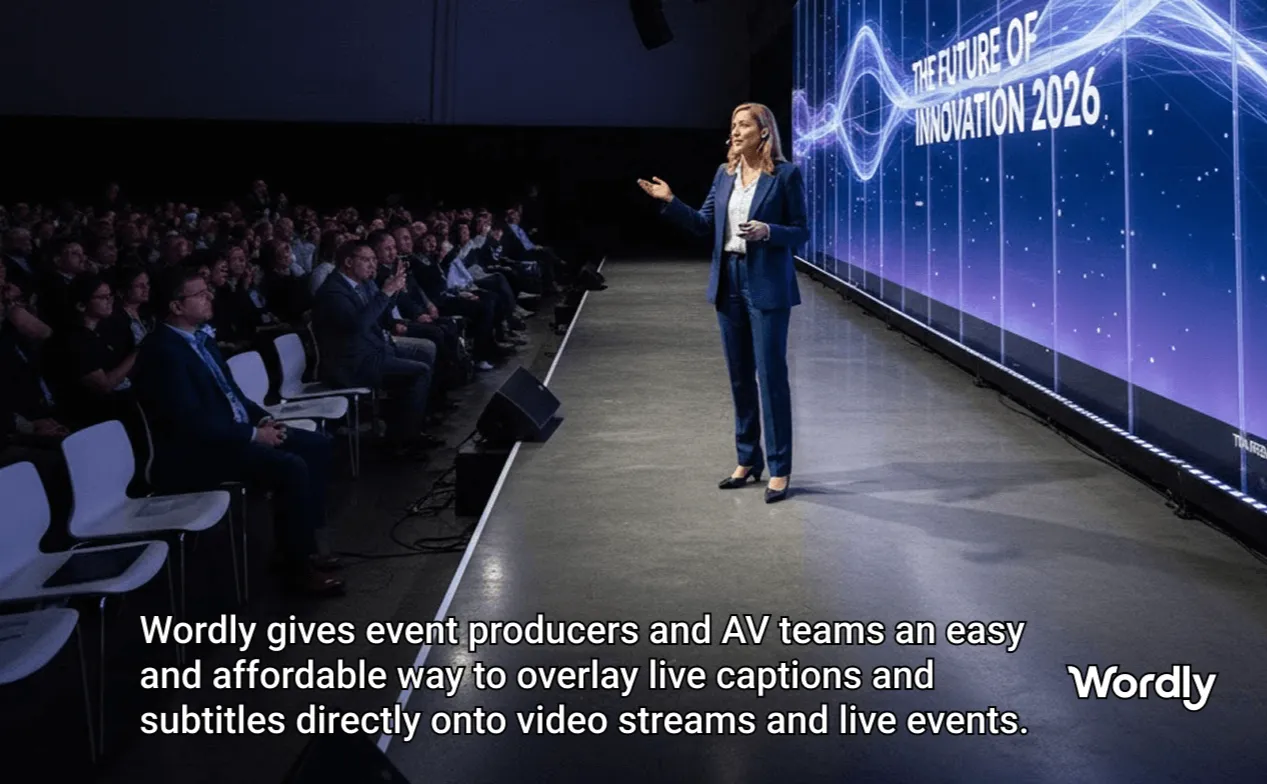
For in-person sessions, you can now overlay live captions and subtitles directly on the main presentation screen, which makes it far easier to meet accessibility compliance requirements. You can also send captions and subtitles to room monitors around the venue, so attendees can follow along wherever they are seated.
Attendees who want a personal view can read live captions and subtitles on their own phone in the language they choose. That covers people at the back of the room, anyone who relies on captions, and international guests who prefer to follow in their first language. Learn more about our caption and subtitle display options.
How to Translate Virtual and Hybrid Meetings
Virtual meetings need the same access as the room. With the Wordly integration for Microsoft Teams translation, attendees can listen to natural-sounding translated audio in dozens of languages or follow high-quality real-time captions without leaving the meeting. Many teams choose Wordly for its natural audio, broader language support, and high translation quality.
For attendees joining from anywhere, the Wordly translation app makes it simple to stay included. They can join a session instantly, see every speaker change happen automatically, and keep hearing translated audio even after they lock their screen or switch to another app. Remote and on-the-go attendees get the same experience as everyone in the room.
How to Share What Was Said After the Session
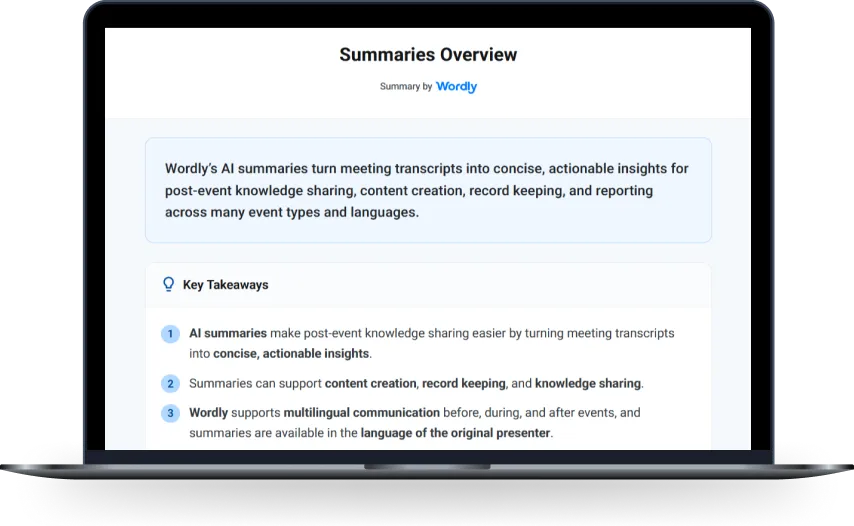
Accessibility doesn’t end when the session does. Wordly AI Summaries generate a recap from every session that anyone can open with no login required, including an overview, key takeaways, and session notes. That gives people who could not attend, or who want to review, a clear record in a form they can use right away.
You also get full text and voice transcripts of every session. Those make it easy to document meeting notes, add subtitles to recordings, and dub videos into dozens of languages, so a single event keeps delivering value long after the last speaker finishes.
How to Roll This Out Securely Across Your Organization
Once one team sees the results, the next step is usually the whole organization. Wordly Workspaces give teams a secure, shared environment to run live translation, captions, and summaries across the entire company, with everyone working in one place.
Workspaces are backed by ISO 27001 certification, SOC 2 Type II compliance, and compliance with GDPR, HIPAA, and other global standards. That gives IT and security teams the assurances they need to approve live translation at scale.
Put together, these give an event team one system for language access across in-person, virtual, and on-demand moments, in dozens of languages, without the lead time and limits of human interpreters. That is a large part of why the way events handle language access is changing so quickly, and why most event leaders now trust AI to do it.
Frequently Asked Questions
How many languages can Wordly translate and caption at once?
Wordly supports dozens of languages at the same time, so a single session can serve a mixed international audience without arranging each language in advance.
Do attendees need to download anything to follow along?
No. Attendees can read live captions and subtitles in a browser on their phone, use the Wordly app to hear translated audio, and open AI Summaries with no login required.
Can I add live translation and captions to a Microsoft Teams meeting?
Yes. With the Wordly integration for Microsoft Teams, attendees can listen to natural-sounding translated audio or follow real-time captions in dozens of languages inside the meeting.
How can event captions help meet accessibility requirements?
You can overlay live captions and subtitles directly on the main presentation screen, display them on room monitors, and let attendees read them on their own devices, so everyone in the room can follow along.
Can attendees get a recap after a session?
Yes. AI Summaries create a shareable recap with an overview, key takeaways, and session notes, along with full transcripts, all available without a login.
Is Wordly secure enough for enterprise use?
Yes. Wordly Workspaces are backed by ISO 27001 certification, SOC 2 Type II compliance, and compliance with GDPR, HIPAA, and other global standards.
Make Your Next Event Accessible in Every Language
Ready to give every attendee captions, translated audio, and a recap in their own language? Book a live demo and we’ll show you how Wordly works for the kind of sessions and events you run, from the room to the recording.


.png)
