
Microsoft Teams Übersetzung: Live-KI-Übersetzung und Untertitel mit Wordly
.avif)
.avif)
Wordly for Microsoft Teams adds live AI translation and captions to any Teams meeting in dozens of languages. Participants join via a single link that combines the Teams video feed with real-time translated captions side by side, with no software downloads required, and every meeting automatically generates multilingual transcripts, voice transcripts, and summaries. Backed by ISO 27001 certification and SOC 2 Type II compliance, Wordly for Microsoft Teams is built for enterprise deployment across global teams, government agencies, education, conferences, and associations.
Table of Contents:
- What Is Wordly for Microsoft Teams Translation?
- Key Features of Wordly for Microsoft Teams Translation
- How to Set Up Microsoft Teams Translation With Wordly
- Microsoft Teams Translation: Detailed Use Cases & Outcomes by Industry
- Microsoft Teams Translation Packages
- Frequently Asked Questions About Wordly for Microsoft Teams Translation
- Make Every Microsoft Teams Meeting Multilingual
What is Wordly for Microsoft Teams?
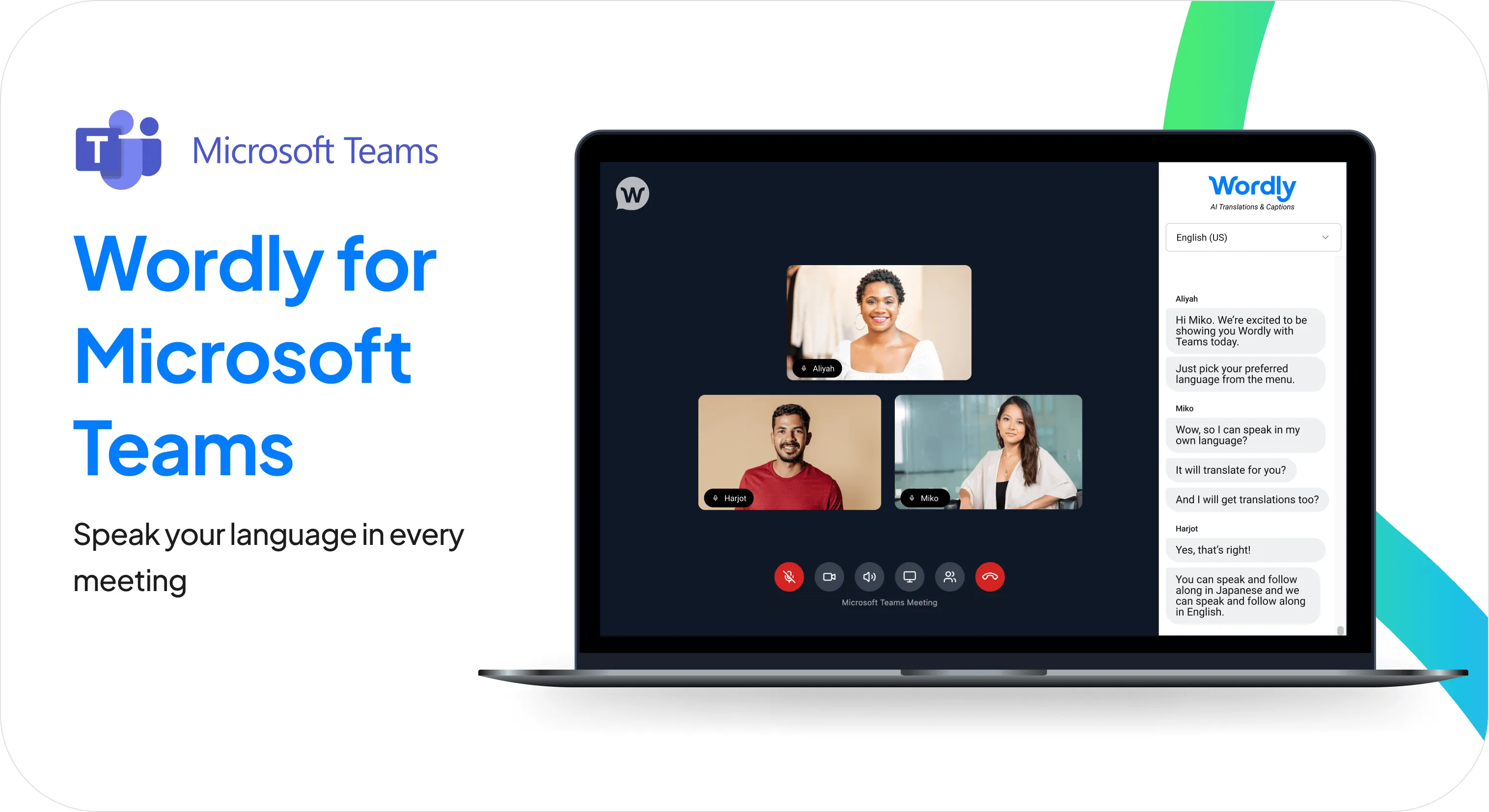
Wordly for Microsoft Teams is an app that displays your Teams meeting and live AI-translated captions side by side, making every meeting accessible in dozens of languages.
Wordly for Microsoft Teams is designed to fit naturally into your daily workflow — quick to launch and easy enough that any participant can get set up in seconds.
Whether you are hosting a global sales kickoff, an engineering stand-up, or a company-wide all-hands, this ensures every participant can follow the conversation in their preferred language, simultaneously and securely.
What features does Wordly for Microsoft Teams Translation offer?
A single, streamlined view
View your Teams video feed and Wordly live translated captions in one intuitive interface. Participants can speak in their own language and read real-time translations without ever leaving the meeting environment.
Seamless speaker identification
Unlike standard integrations, Wordly’s Teams Translation application identifies each participant as a separate audio source. This results in highly accurate transcripts that clearly label exactly who said what, improving clarity for live and post-meeting review.
Flexible scheduling options
Integrate translation into your workflow your way. Use the scheduler to create new calendar invites with Teams Translation built-in, or use the Link Generator to add AI translation to existing Teams meetings.
Enterprise security and control
Meeting hosts retain full control over the meeting environment, including lobby management settings to secure your sessions. Backed by Wordly’s ISO 27001 certification and SOC 2 Type II compliance, you can deploy this across your organization with confidence.
Post-meeting transcripts and summaries
Every Wordly for Microsoft Teams meeting automatically generates text transcripts, voice transcripts, and summaries in dozens of languages. These are ready to use immediately after the session—ideal for sharing action items, distributing notes to teammates who couldn't attend, and supporting compliance or reporting requirements.
How to Set Up Microsoft Teams Translation with Wordly
With Wordly for Microsoft Teams Translation, your meetings are multilingual in seconds. Here's how to set it up:
- Schedule your meeting: Use the Wordly Scheduler to create a new calendar invite with translation already integrated, or use the Link Generator to instantly add AI translation to an existing Teams meeting.
- Invite attendees: Share the unique, custom link with all participants. This link provides access to a browser-based, unified window that seamlessly combines the video feed with live translation.
- Engage and collaborate: Once in the meeting, participants can select their preferred language to see real-time captions and access a live transcript that syncs perfectly with the conversation, ensuring everyone can follow along.
Every Teams Translation meeting also generates text transcripts, voice transcripts, and summaries in dozens of languages. Great for simplifying post-meeting tasks like sharing actionable next steps and sending to any teammates who couldn’t join.
How is Microsoft Teams Translation used across industries?
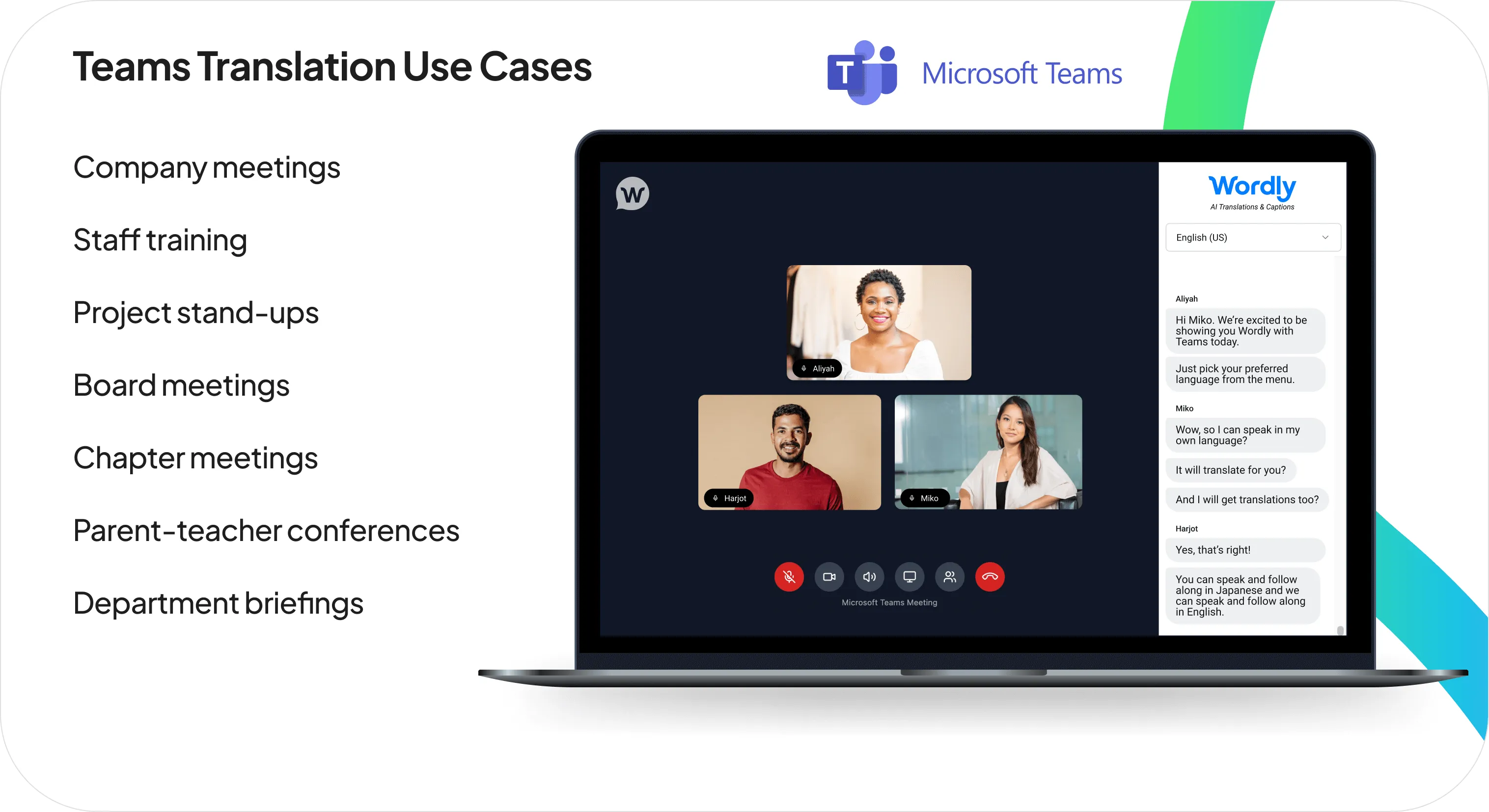
Wordly's Microsoft Teams Translation is built to support distinct workflows, compliance needs, and communication demands across diverse sectors. Here’s how Microsoft Teams Translation transforms organizations in detail:
Corporate, Enterprise & Global Business
- Accelerate Global Projects: Eliminate the delays and misunderstandings that slow down international teams in daily stand-ups, project meetings, and cross-functional collaboration.
- Boost Employee Engagement: Ensure every employee, regardless of location or language, can contribute ideas and feedback in all-hands meetings and team discussions.
- Improve Training Outcomes: Deliver consistent, clear training to global employees in their preferred language, improving comprehension and retention across every region.
Conferences & Events
- Streamline Cross-Region Planning: Keep international organizers, vendors, and speakers aligned without language bottlenecks slowing down decisions.
- Speaker & Presenter Prep: Run multilingual briefings and rehearsals so every presenter is fully prepared, regardless of their native language.
- No Technical Lift: Participants join via a single link (no installs, no training, no disruption to your existing planning workflow).
Government & Public Sector
- Support a Multilingual Workforce: Ensure Limited English Proficiency (LEP) employees can fully participate in staff meetings, training sessions, and internal communications, supporting Title VI compliance obligations.
- Streamline Inter-Agency Coordination: Remove language barriers from cross-agency and contractor meetings, keeping complex initiatives aligned and on track.
- Enterprise-Grade Security: ISO 27001 certification and SOC 2 Type II compliance means government agencies can deploy Wordly with confidence across their organization.
Education (K-12, Higher Ed, Districts)
- Support Multilingual Students: Bring live translation to virtual classes and seminars, so students can follow instruction and participate fully in their preferred language.
- Improve Parent Engagement: Communicate clearly with families in their native language, fostering a stronger home-school partnership.
- Support Multilingual Staff and Faculty: Remove language barriers from administrative meetings, department calls, and professional development sessions.
- Easy to Deploy: Participants join via a single link (no installs, no training, no disruption to your existing planning workflow).
Associations & Nonprofits
- Increase Member Value: Make all chapter programming and committee work accessible to international members, boosting retention and satisfaction.
- Volunteer-Friendly: Any chapter leader can get a multilingual meeting running in seconds, no technical expertise required.
- Expand Your Reach: Attract and retain members from around the world by removing language as a barrier to participation in your organization's work.
Wordly Translation Packages
Wordly makes it easy and affordable to add live translation and captions to Microsoft Teams meetings with a comprehensive solution that includes personalized onboarding, training, and ongoing support.
Many organizations start with the Wordly Pro+ Package, which includes 60 hours of live translation and captioning. Enough to cover multiple meetings per month across a full year. Hours can be used for staff meetings, employee training, client calls, and a wide range of other sessions. Additional hours can be added at any time.
See full pricing details or calculate your hours.
Häufig gestellte Fragen zu Wordly für Microsoft Teams Übersetzung
Wie funktioniert Wordly für Microsoft Teams?
Wordly für Microsoft Teams ist eine browserbasierte Anwendung, die KI-Übersetzung mit Ihrem Teams-Meeting in einem einzigen, einheitlichen Fenster kombiniert. Sie können ein neues Meeting mit integrierter Übersetzung über den Wordly Scheduler planen oder einem bestehenden Meeting mit dem Link Generator eine Übersetzung hinzufügen. Teilnehmer treten über einen einzigartigen Link bei, der den Meeting-Video-Feed zusammen mit Live-Übersetzung und Untertiteln öffnet.
Müssen Teilnehmer Software herunterladen?
Nein. Die Teams-Übersetzungsanwendung ist vollständig browserbasiert. Teilnehmer klicken einfach auf den bereitgestellten Link, um beizutreten und auf die Echtzeit-Übersetzung in einem einheitlichen Fenster zuzugreifen.
Welche Sprachen werden unterstützt?
Wordly bietet Teams-Übersetzung und Untertitel in Dutzenden von Sprachen an. Teilnehmer wählen ihre bevorzugte Sprache aus einem Dropdown-Menü aus, wenn sie beitreten.
Kann ich Wordly sowohl für geplante als auch für spontane Teams-Meetings verwenden?
Absolut! Unsere Teams-Übersetzungsanwendung ist auf maximale Flexibilität ausgelegt. Sie können den Wordly Scheduler verwenden, um übersetzte Meetings im Voraus zu planen, oder den Link Generator nutzen, um sofort KI-Übersetzungsfunktionen zu jedem spontanen oder bestehenden Teams-Meeting hinzuzufügen.
Benötige ich ein Teams-Abonnement, um dieses Produkt zu nutzen?
Teilnehmer benötigen keine Teams-Lizenz, um die Wordly-Übersetzung zu nutzen. Nur die Person, die das Meeting plant und hostet, benötigt eine Teams-Lizenz.
Können wir den Teams-Meeting-Bot trotzdem nutzen, wenn wir kein Teams-Abonnement haben?
Ja, Sie können die Option des Wordly Teams-Übersetzungs-Bots auch ohne Teams-Abonnement nutzen.
Machen Sie jedes Microsoft Teams Meeting mehrsprachig
Wordly macht es einfach und erschwinglich, jedem Meeting eine Übersetzung hinzuzufügen. Sprache sollte niemals bestimmen, wer teilnehmen, beitragen oder informiert bleiben kann. Wordly für Microsoft Teams gibt jedem Teilnehmer einen gleichberechtigten Platz am Tisch – unabhängig davon, welche Sprache er spricht.
Ein einziger Link genügt, um jedes Teams-Meeting in Dutzenden von Sprachen zugänglich zu machen. Möchten Sie es in Aktion erleben? Buchen Sie eine Demo, um loszulegen →


.png)

Wordly.ai ist in mehreren Sprachen verfügbar, indem Sie den Selektor oben auf jeder Seite verwenden. Wordly ist auf Live-Audio Übersetzungen spezialisiert und wurde nicht zur Lokalisierung dieser Website verwendet.